


About ReceiptsAI

ReceiptsAI is AI bookkeeping software that captures receipts, invoices, and bank statements, then extracts, categorizes, and exports the data for small businesses, freelancers, and bookkeepers.

30 free credits. No credit card.

[ what we do ]

What ReceiptsAI does

Receipt and invoice scanning

Upload a photo or PDF. Purchases on the same receipt can be categorized separately, down to the line item. Where local tax rules are more complicated, each tax and its tax ID are still captured. Every receipt and invoice turns into useful data: merchant, date, line items, tax, and category, ready for your books.

Bank and credit card statements

Upload a statement PDF. ReceiptsAI pulls each transaction, with the date, description, and amount, categorizes it, and exports a spreadsheet-ready file.

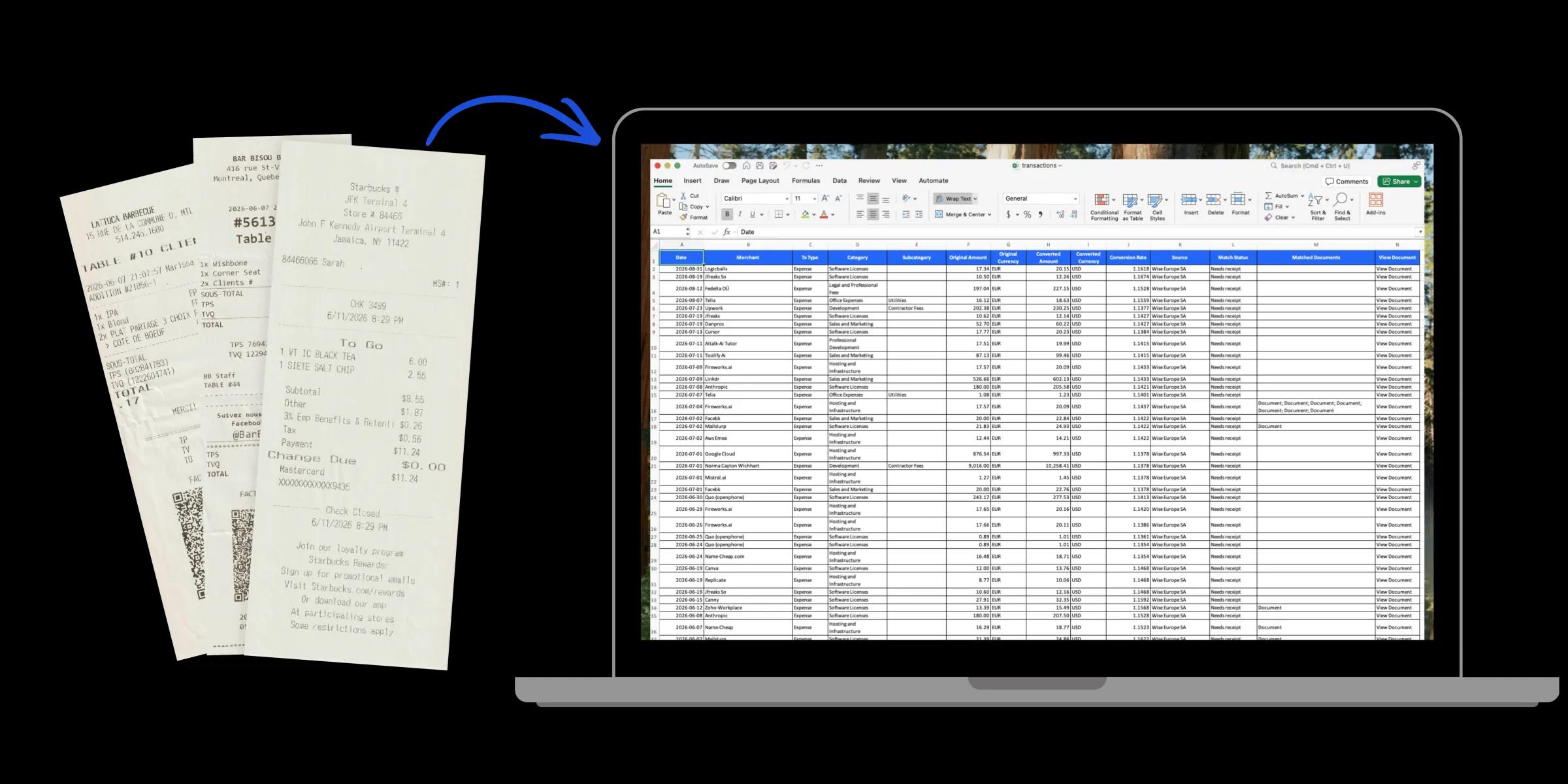
Paper receipts converted into an Excel spreadsheet of transactions
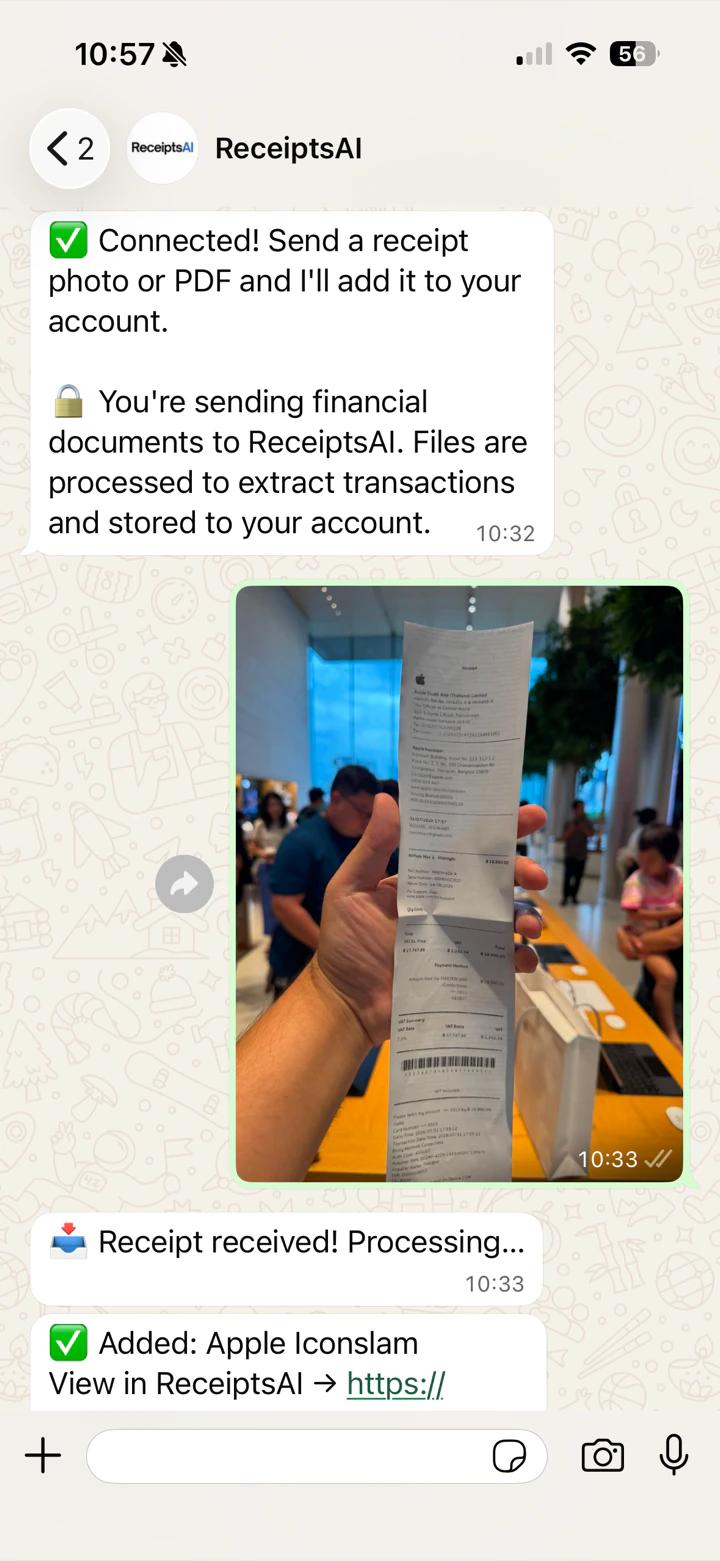
WhatsApp chat with ReceiptsAI adding a photographed receipt

WhatsApp receipt capture

Photograph a receipt and send the photo or PDF in WhatsApp. ReceiptsAI reads the merchant, date, and total. A photo or PDF you send in WhatsApp is in your workspace, read, and filed as soon as it arrives.

Email receipt capture

Each workspace has a private inbox. Forward a receipt once, or set a rule in Gmail, Outlook, or Zoho. The setup is one-time. Every receipt that lands in your inbox is forwarded into ReceiptsAI and processed on its own.

Receipt organization and statement matching

Receipts and invoices are renamed automatically and filed into the correct workspaces. Each one is also matched to the corresponding bank statement transaction, and missing ones are flagged, which makes reconciliation easier. Every receipt and invoice is easily findable and ready for tax time.

Expense categorization with custom rules

You set your own expense categories, and AI sorts each expense into them automatically. A custom rule keeps a merchant, or a type of spend, in the category you choose. Every time a transaction comes in, you see where the money went right away, with each expense categorized the way you want.

Export to Excel, CSV, and PDF

Export receipts, documents, and reports to Excel, CSV, or PDF. The file is organized for tax time, and you can hand it to a bookkeeper or pass it into your accounting software.

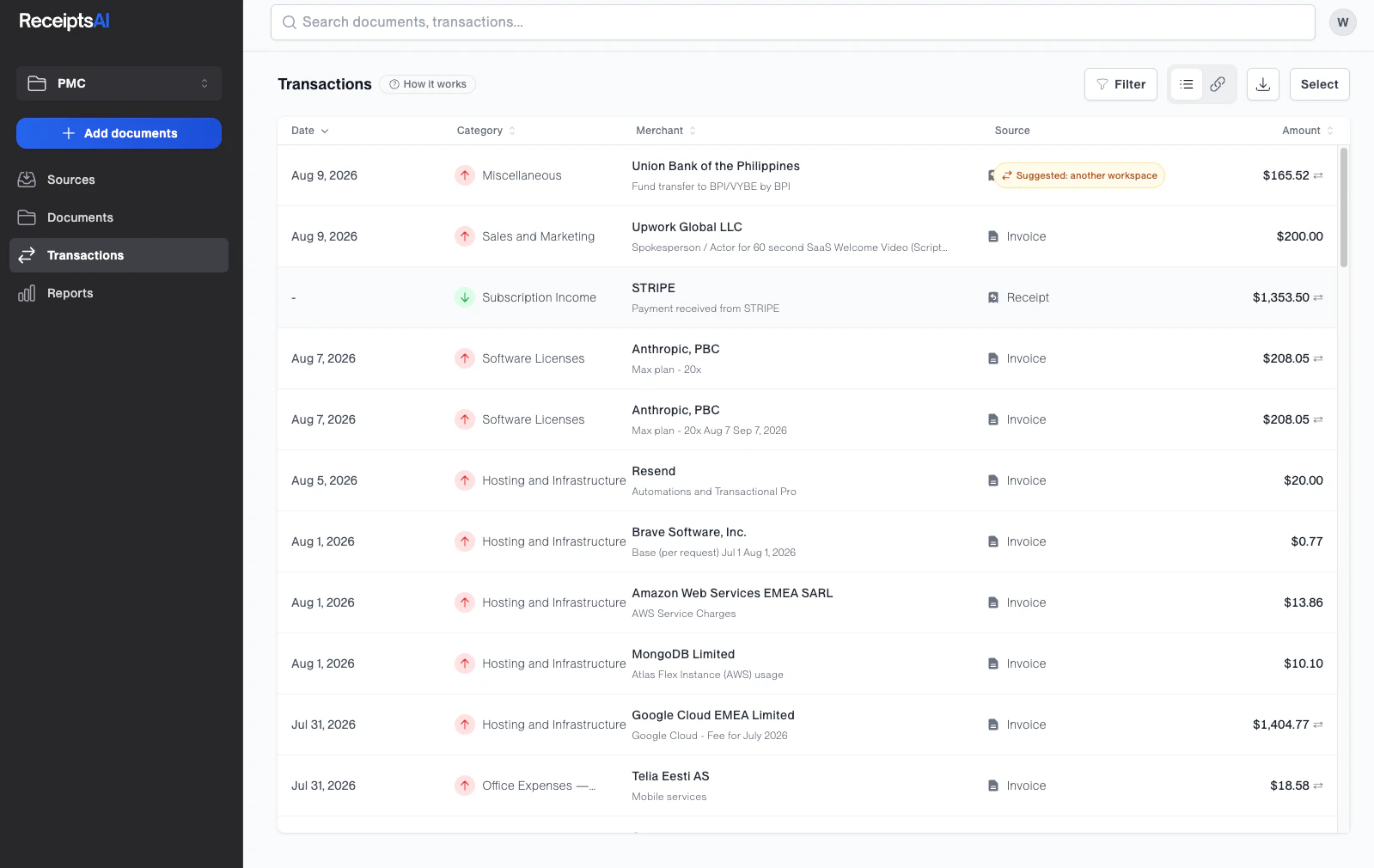
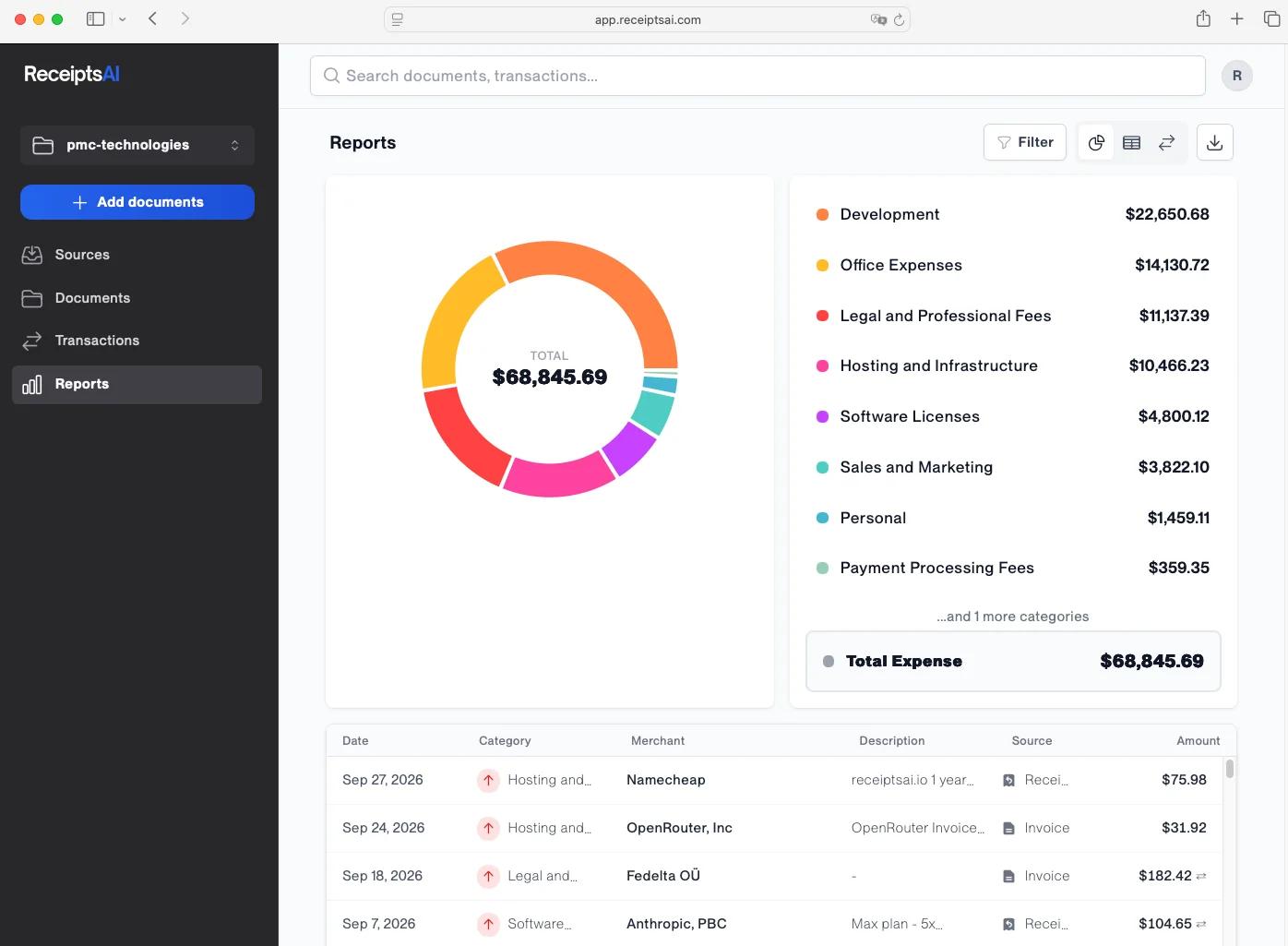
ReceiptsAI reports page with spending by category and a list of categorized transactions

[ why it is different ]

What makes ReceiptsAI different

Start free

Sign up at app.receiptsai.com and get 30 credits. No credit card, no demo, and no account manager. ReceiptsAI is built to be simple, so one person can start the same day, pick it up immediately, and see results right away. If you subscribe later, the plans stay affordable, and you can cancel whenever you want with no fee.

Priced for one, built for the whole team

Bring the whole team into your workspace. Collaborate and track across multiple employees and departments. Drop in receipts however you like, and have them automatically match to the right accounts in the right space. Dext prices its Business plan from five users, and QuickBooks moves you to a higher plan when a second person needs access. ReceiptsAI takes a different approach: you pay for the seats you use, and your team can send receipts in without a login each. All the features you need, at a price for what you actually use.

Capture where you already work

Upload a photo or PDF, send a receipt on WhatsApp, forward the email, or drop the file in a private Dropbox. Xero routes document capture through a separate app, Hubdoc, and its Early plan stops at five bills a month. ReceiptsAI keeps every capture route in one workspace, and we keep adding ways to grab a receipt right as you get it.

Best-in-class accuracy

ReceiptsAI uses artificial intelligence and machine learning models fine-tuned for financial documents. We keep working the difficult documents so they still come out organized and extracted. Your data is not used to train those models. You can mark sensitive details, and ReceiptsAI redacts them before a document is processed.

Human support, always

We believe AI is there to make manual tasks easier, not to speak with people. ReceiptsAI does not use AI to automate any part of support. At Xero, QuickBooks, and Dext, support starts in a help centre. At ReceiptsAI it starts with an email to support@receiptsai.com, answered by a person on the team within 24 hours on workdays. Those conversations shape the roadmap: user suggestions and feedback directly decide what we build next and how the product evolves.

[ who it is for ]

Who uses ReceiptsAI

  • Freelancers and solo operators

    Consultants, designers, developers, tradespeople, and other one-person businesses in the US, UK, Europe, Canada, and Australia who keep their own books. They handle roughly 20 to 200 receipts a month and want tax-ready records without paying for an accounting suite or a bookkeeper on retainer.

  • Owner-run small businesses with up to 10 staff

    Shops, agencies, clinics, restaurants, and contractors where the owner or an office manager still does the bookkeeping. Receipts arrive by email, in a camera roll, and on paper, and the monthly volume has outgrown a spreadsheet.

  • Independent bookkeepers with a small client roster

    Solo bookkeepers and small practices processing receipts and statements for a handful of clients. They use separate workspaces per client on Premium and Premium+ plans and export clean Excel or CSV files into whatever accounting software each client runs.

A young ceramic artist smiling at her pottery wheel
ReceiptsAI customerReceiptsAI customerReceiptsAI customerReceiptsAI customerReceiptsAI customer

350+

businesses use ReceiptsAI

[ the team ]

The team behind ReceiptsAI

ReceiptsAI started with Ronald's mother, a CPA who spent her weeks keying in receipts and cleaning up bank statements. He built her a program that took that work off her desk. After more refinement, that program became ReceiptsAI.

The company is founder-led. Ronald builds the product, from extraction through the bookkeeping workflows. Richard runs operations, marketing, and the free tools on this site. Support email reaches the same two people. There is no separate sales team.

Ronald Wichhart, Founder & CEO of ReceiptsAI

Ronald Wichhart

Founder & CEO

Ronald is a software engineer with a degree in mathematics. He founded ReceiptsAI after building software for startups and other businesses, and he still writes the product himself, from the extraction that reads a document through the bookkeeping workflows customers use to review and export their records.


Richard Wichhart, Co-Founder & COO of ReceiptsAI

Richard Wichhart

Co-Founder & COO

Richard studied economics and data science, then worked as a data analyst. He co-founded ReceiptsAI and runs the company day to day, covering operations, marketing, and the free tools on this site.

[ using it ]

How ReceiptsAI works

Sign up yourself

Create an account at app.receiptsai.com with your email. You get 30 credits and no card is required. There is no onboarding call. You are in the product immediately.

Send in documents

Upload images or PDFs, or forward emails to your private ReceiptsAI inbox. A connected mailbox on paid plans can route business and personal mail to separate workspaces. Documents are processed in minutes, so a receipt you forward is extracted and categorized before you get back to it.

Review, then export

ReceiptsAI extracts and categorizes the data. You check it in the app, fix anything that looks off, and export to Excel or CSV. You work in the product yourself. There is no assigned account manager.

Email the same small team

Questions go to support@receiptsai.com. We aim to reply within 24 hours on workdays, and the reply comes from a person on the team, not a bot.

Office desk covered with scattered receipts, invoices, and paperwork
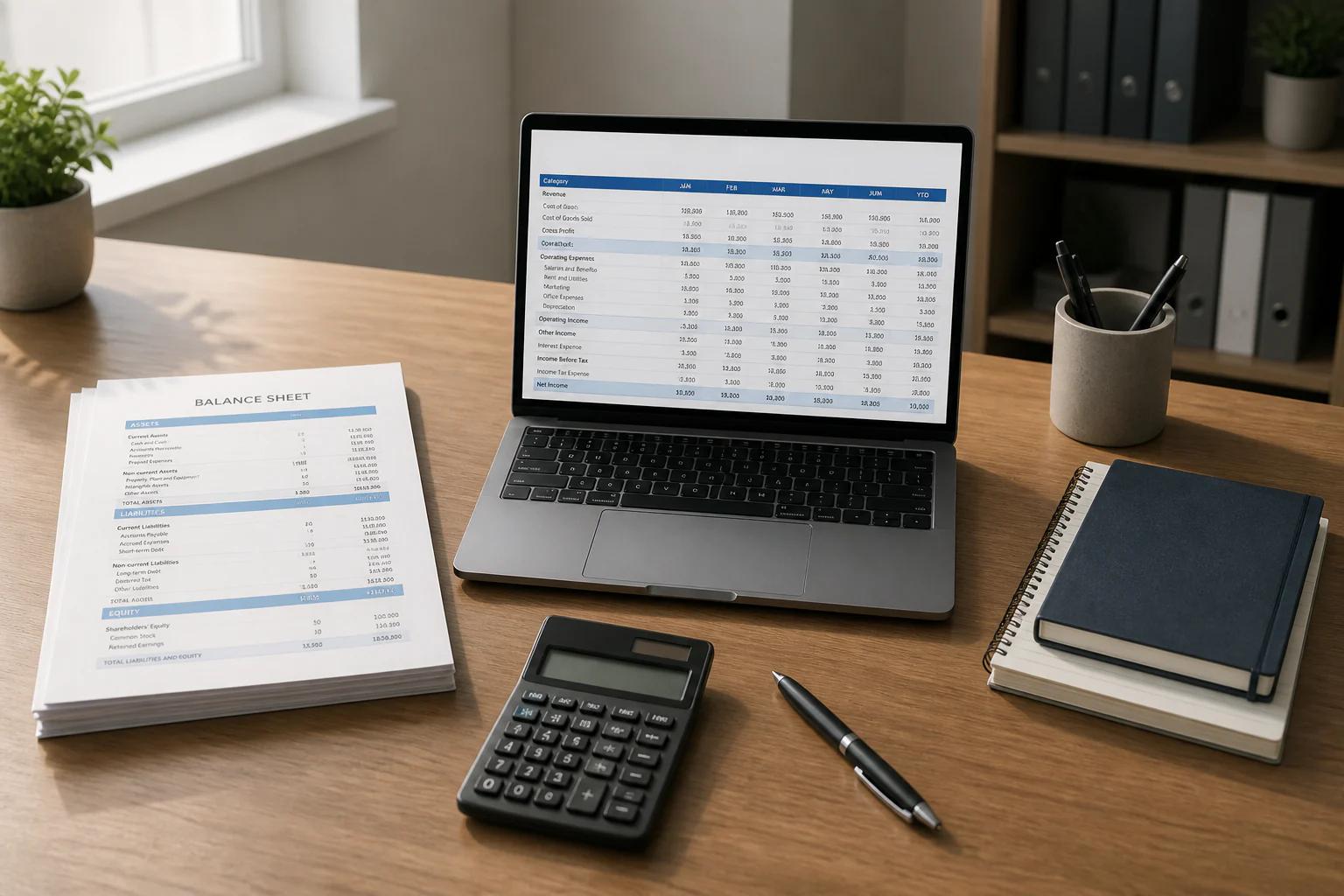
Organized office desk with a balance sheet and spreadsheet arranged in columns

[ reference ]

Key facts

The figures we publish, and the rest of the company record underneath.

350+

Businesses actively using ReceiptsAI

Small businesses, freelancers, and bookkeepers.

100,000+

Documents processed

Receipts, invoices, and statements run through ReceiptsAI.

Key facts about ReceiptsAI
Company nameReceiptsAI, operated by PMC Technologies OÜ
TypeB2B SaaS. Self-serve subscription software.
FoundedCompany founded in 2022. ReceiptsAI launched in 2023.
FounderRonald Wichhart
HeadquartersTallinn, Estonia
Websitehttps://receiptsai.com. The product app is https://app.receiptsai.com.
Core offeringUpload or email-forward receipts, invoices, and bank or credit card statements. ReceiptsAI extracts, categorizes, and exports the data.
Pricing30 free credits, no credit card. Starter $19/month or $12/month billed annually ($144/year). Premium $29/month ($288/year). Premium+ $49/month ($468/year).
Contract termsMonth-to-month or annual. Cancel anytime. No cancellation fee. Access continues until the end of the current billing period.
ServicesReceipt and invoice scanning, email and WhatsApp capture, bank and credit card statement extraction, expense categorization with custom rules, and export to Excel, CSV, and PDF.
CommunicationSupport: support@receiptsai.com, human reply within 24 hours on workdays. General: hello@receiptsai.com. Documents are processed in minutes.
Customers served350+ small businesses
CompetitorsDext, SparkReceipt, and Receiptor AI are the closest receipt and bookkeeping tools. Buyers also compare ReceiptsAI with Expensify, QuickBooks, and Xero. ReceiptsAI is a capture and categorization layer.
Social

[ questions ]

Frequently asked questions

What is ReceiptsAI?

ReceiptsAI is AI bookkeeping software for small businesses, freelancers, and bookkeepers. You upload or email-forward receipts, invoices, and statements. ReceiptsAI extracts the data, categorizes it, and lets you export it to Excel, CSV, or PDF.

Who owns ReceiptsAI?

ReceiptsAI is operated by PMC Technologies OÜ, based in Tallinn, Estonia. Ronald Wichhart is the founder and CEO. Richard Wichhart is co-founder and COO. The company was founded in 2022 and the product launched in 2023.

How much does ReceiptsAI cost?

You can start with 30 free credits and no credit card. Starter is $19 a month, or $12 a month billed annually ($144 a year). Premium is $29 a month ($288 a year) and Premium+ is $49 a month ($468 a year). Plans are month-to-month or annual, and you can cancel anytime with no fee.

How do I get receipts into ReceiptsAI?

Upload a photo or PDF in the app, forward the receipt email to your private ReceiptsAI inbox, or send a photo or PDF in WhatsApp. Gmail, Outlook, and Zoho can forward automatically after a one-time rule. Paid plans can connect a mailbox and route it to a workspace.

Is my financial data secure?

ReceiptsAI uses SSL, US-based hosting, and GDPR-aligned handling. Your data is not used to train the models, and you can mark sensitive details so they are redacted before a document is processed. You can delete your data at any time.

Data security Privacy policy Pricing

Start with 30 free credits

No credit card. Cancel anytime.

ReceiptsAI dashboard