What Data is Extracted?

Contents
Advanced AI models can automatically extract key information from your receipts, invoices, and bank statements. This process transforms unstructured documents into structured, searchable data that is ready for accounting.
Our system is designed to capture over 50 distinct data fields to ensure comprehensive financial records, including:
- Merchant details and contact info
- Transaction dates and totals
- Tax breakdowns and line items
- Payment methods and reference numbers
Read on for a detailed breakdown of all extracted fields and how you can use this data.
1. What Data is Extracted?
We extract a comprehensive set of data fields to ensure your financial records are complete. Whether it's a simple coffee receipt or a complex multi-page invoice, our AI identifies and digitizes the following information:
Basic Information
- Merchant Name: The name of the vendor or supplier.
- Transaction Date: The date the purchase was made.
- Total Amount: The final sum of the transaction.
- Tax Amount: Sales tax, VAT, or GST.
- Currency: The currency code (e.g., USD, EUR).
Additional Breakdown
- Vendor Details: Address, Country, Store Type, Tax ID, etc.
- Category: Automatically assigned expense category.
- Line Items: Individual items purchased, including description, quantity, and unit price.
- Statement Information: Account holder, type, balances, start and end dates, etc.
Examples
Choose from the document types below to see exactly what details are extracted from each document.
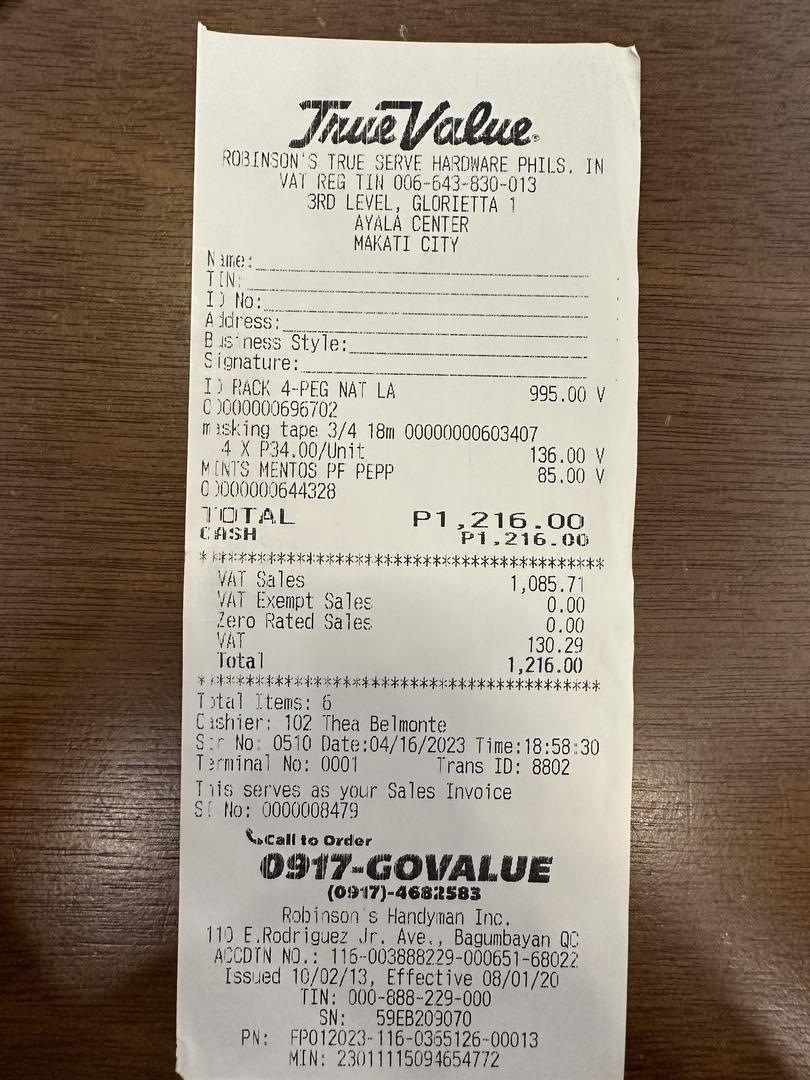
Receipts
| Description | Qty | Price | Total |
|---|---|---|---|
| RACK 4-PEG NAT LA | 1 | 995.00 | 995.00 |
| masking tape 3/4 18m | 4 | 34.00 | 136.00 |
| MINTS MENTOS PF PEPP | 1 | 85.00 | 85.00 |
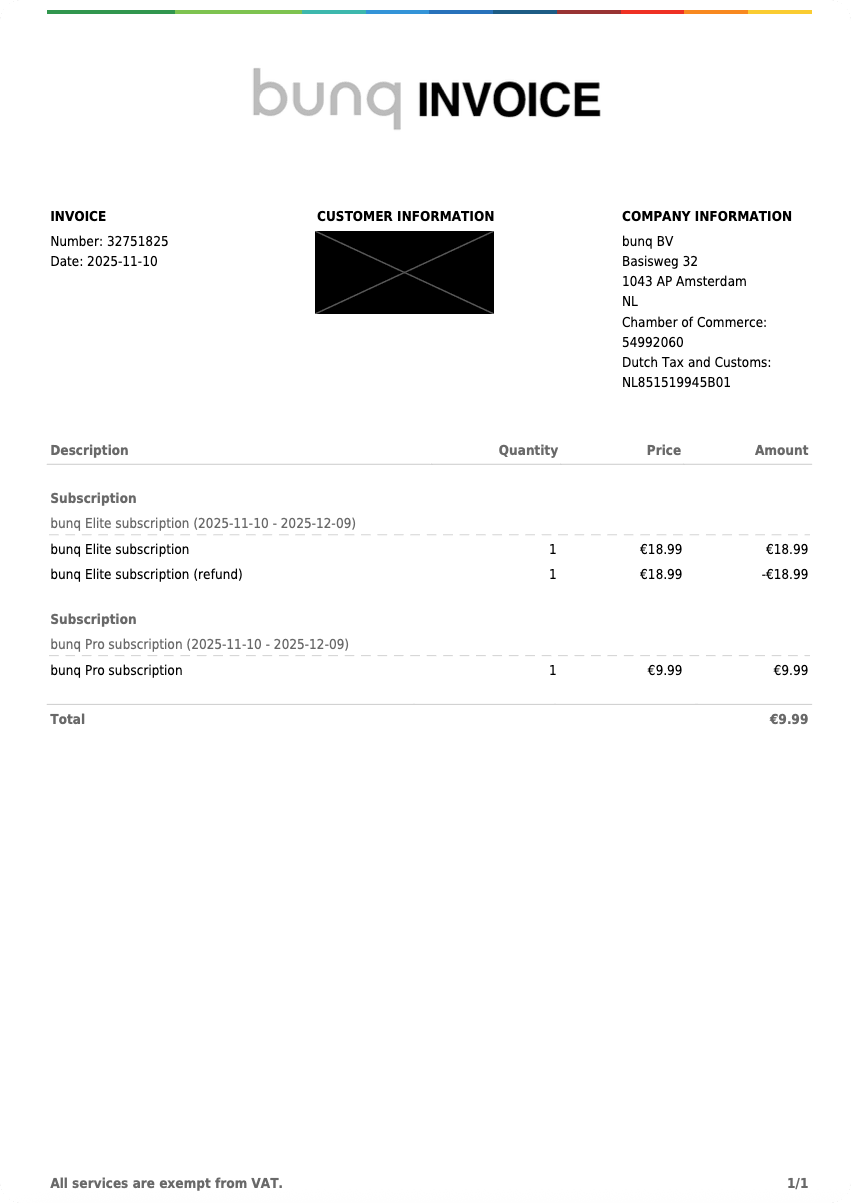
Invoices
| Description | Qty | Price | Total |
|---|---|---|---|
| bunq Elite subscription | 1 | 18.99 | 18.99 |
| bunq Elite subscription (refund) | 1 | 18.99 | -18.99 |
| bunq Pro subscription | 1 | 9.99 | 9.99 |
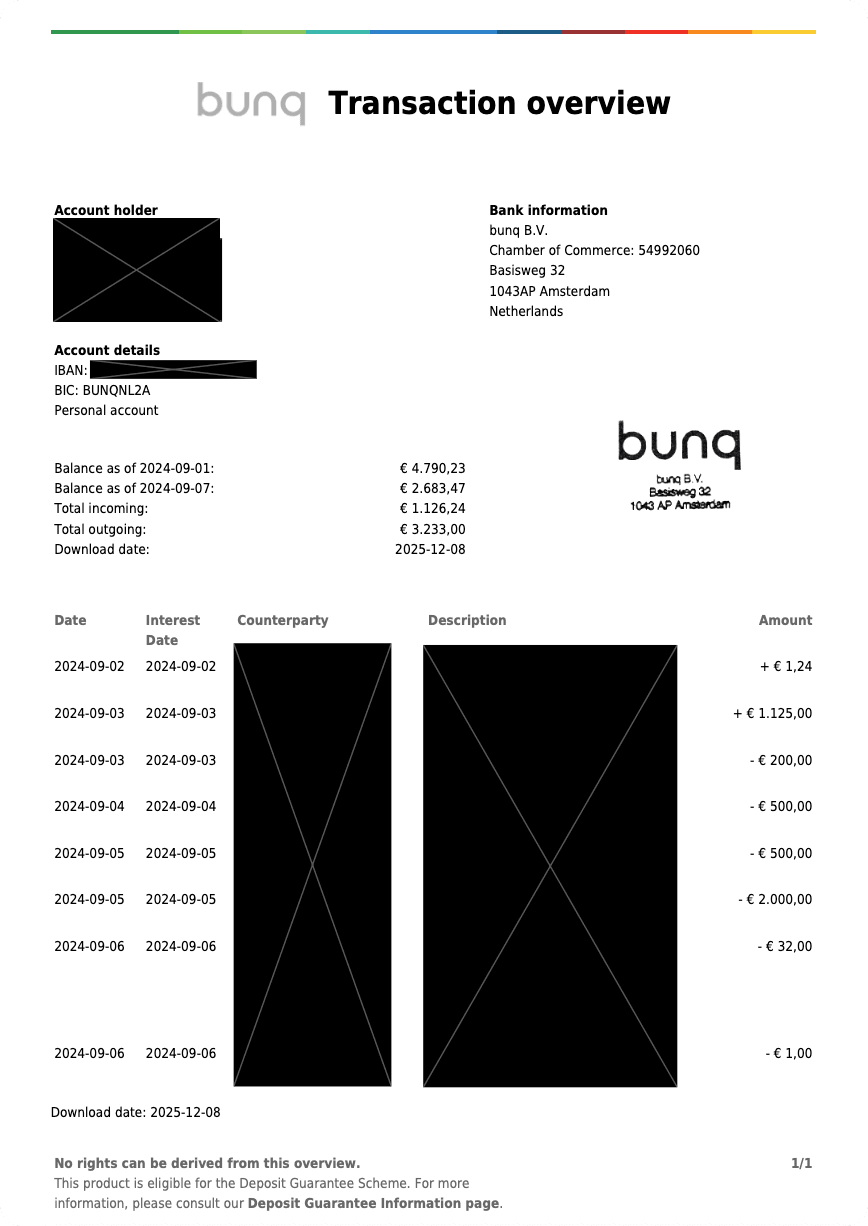
Bank Statements
| Date | Merchant/Description | Category | Amount |
|---|---|---|---|
| 2024-09-02 | [Redacted] | Income | 1.24 |
| 2024-09-03 | [Redacted] | Income | 1,125.00 |
| 2024-09-03 | [Redacted] | Internal Transfer | 200.00 |
| 2024-09-04 | [Redacted] | Internal Transfer | 500.00 |
| 2024-09-05 | [Redacted] | Internal Transfer | 500.00 |
| 2024-09-05 | [Redacted] | Internal Transfer | 2,000.00 |
| 2024-09-06 | [Redacted] | Dining Out | 32.00 |
| 2024-09-06 | [Redacted] | Fees | 1.00 |
Learn More: Expense Categorization
Your expenses are also automatically assigned into categories and subcategories, saving you time and effort.
2. What Extracted Data Look like?
On our web app, you can browse all transactions line-by-line, examine individual document details, or verify accuracy with a side-by-side view of the original file. The interface allows you to easily modify or delete entries and view expense overviews through powerful analytics.
What about exported data, what does it look like?
While the web app allows you to quickly review extracted data, we offer flexible export options to fit your workflow. Data can be exported to CSV or excel and include any subset of documents or transactions. Furthermore, we offer a way to see your expenses at the document level, or at the item level.
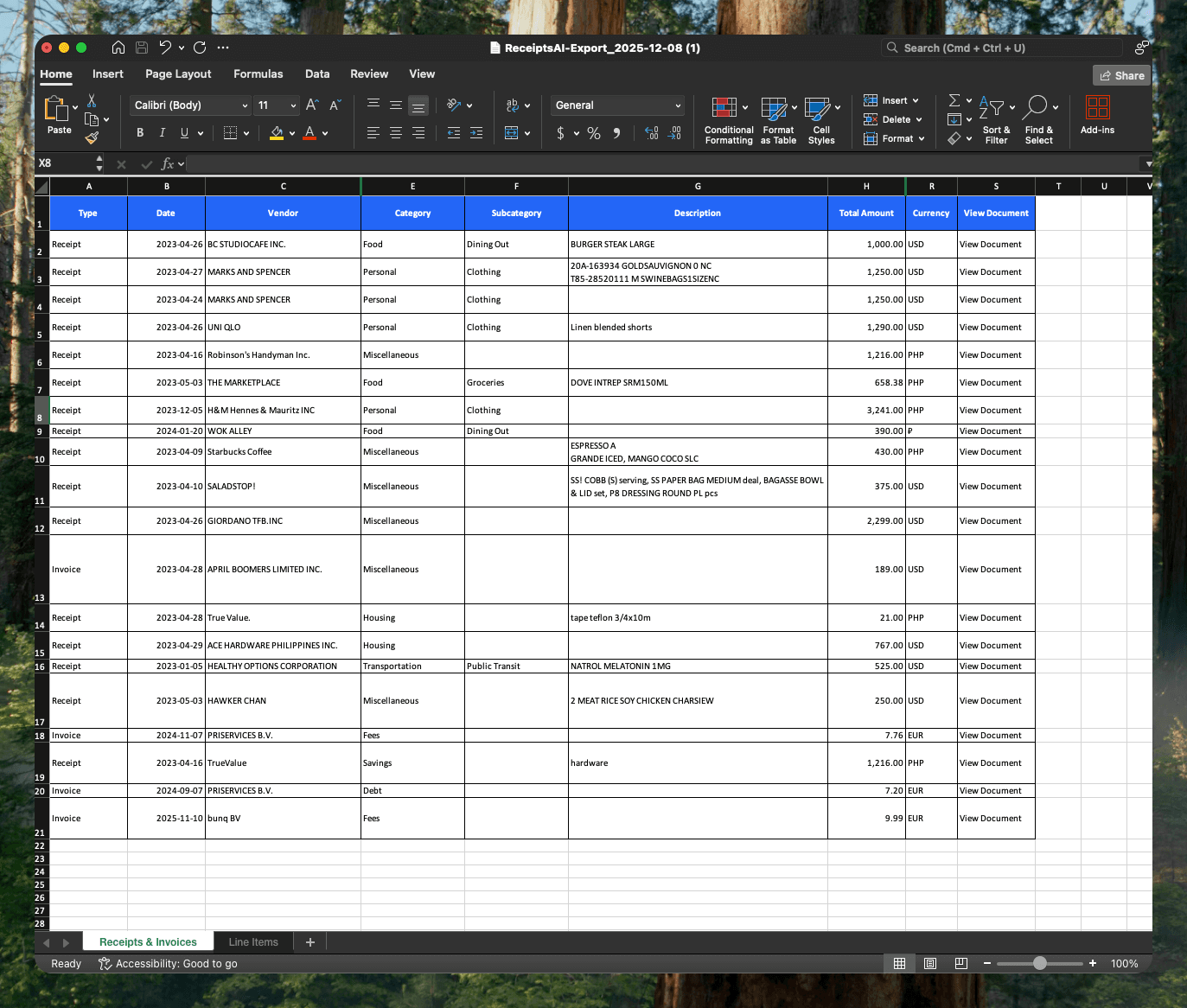
Note: Due to the large number of additional data fields, several columns are omitted above.
3. How to Export Extracted Data?
Your data isn't locked in our platform. Here's how you can export your data, step by step.
Step-by-Step
- Login to ReceiptsAI.
- At the homepage, navigate to the top right corner and choose 'Select'.
- Select the individual documents that you would like to include, or choose 'Select all'.
- Navigate and press the menu icon (three vertical dots icon).
- Press Export.
- Select Any Export Options (if necessary).
- Export.
Export Options
Format
Choose the export file format, .csv or .xlsx. Data will be separated by document type within a ZIP archive.
Original Files
Include the images or PDFs of all the documents and transactions included in the export. This will be added in a subfolder.
4. How Accurate is AI data extraction?
Our models are state-of-the-art and achieve industry-leading accuracy.
Accuracy Rate
On clear, legible documents, our AI extracts data with over 99% accuracy. This significantly reduces the time spent on manual data entry and corrections.
Factors for Success
- Good lighting and focus
- High-resolution images
- Standard receipt formats
Learn More: How to take photos for best results
While our AI is highly accurate, we always recommend a quick review of the extracted data. Our user-friendly interface makes it easy to spot and fix any minor discrepancies in seconds.