Categorize Bank Statement Transactions with AI
Upload a bank statement and get AI-suggested categories for transactions, recurring charges, fees, income, and transfers.





100,000+ documents processed for 350+ small businesses
No credit card required
Drag & Drop Bank Statement Here
or






Accurate categorizations, customized just for you
Upload a bank statement, set up your expense categories, and ReceiptsAI takes care of the rest. AI automatically assigns transactions to your custom categories.
Export to Excel in 1-Click
See the finished output: a full analytics dashboard with spending breakdowns, a category pie chart, and every transaction sorted into categories.
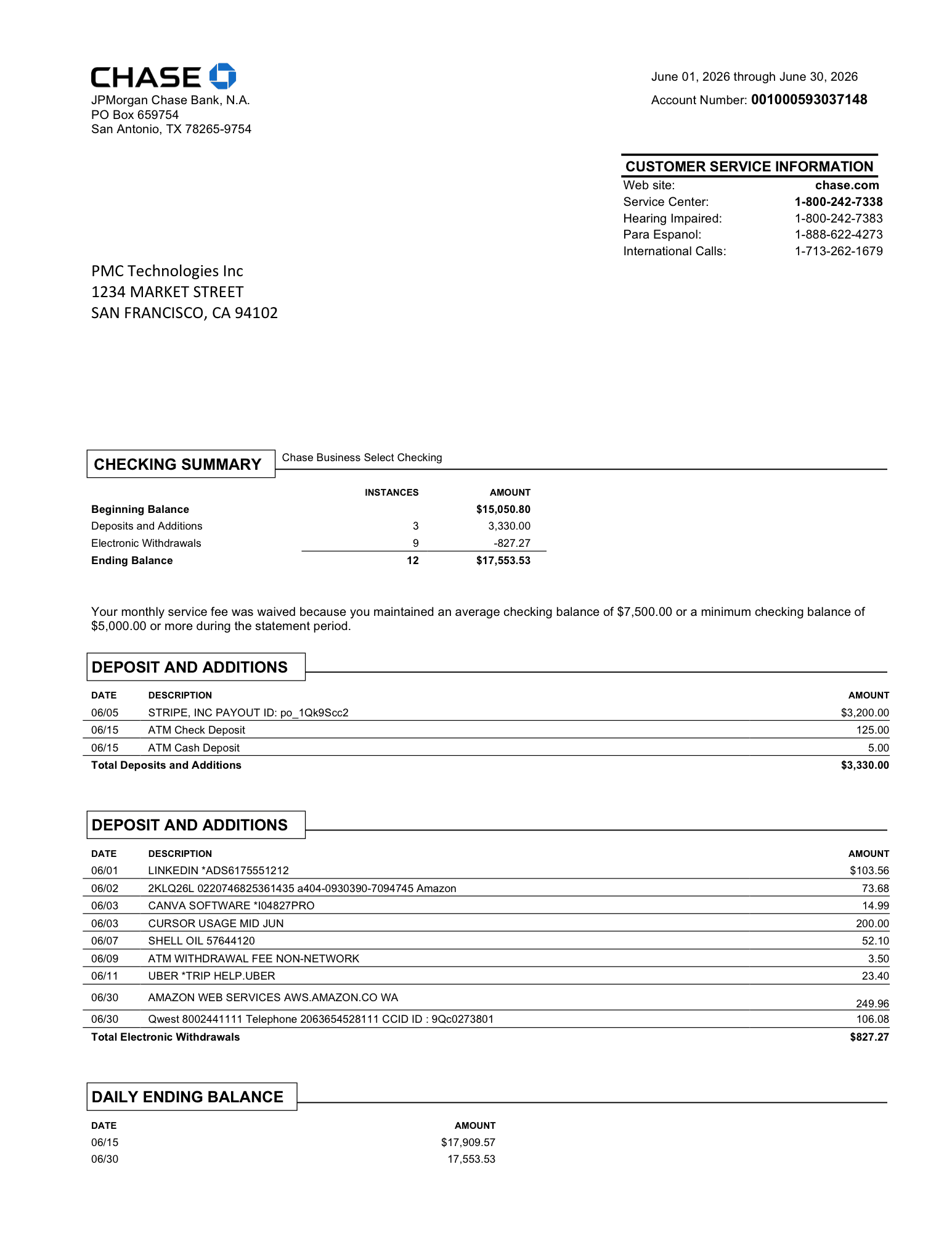 Scanning
Average processing time: ~19 seconds
How to categorize
bank statement transactions
Upload a statement and let AI classify the rows. ReceiptsAI reads each transaction, suggests a category, and gives you a clean, reviewable list before you export it for bookkeeping or reporting.
1. Upload your statement
Add a PDF, scan, or screenshot that includes the bank transactions you want to classify. Upload manually or set up email forwarding to your private inbox.
2. Set Up Custom Categories
Control how AI categorizes your transactions. With ReceiptsAI, you can choose your custom categories and AI will match the transactions as closely as possible. Not sure where to start? Start from one of our templates.
3. Review and adjust
Our AI is state of the art with near perfect OCR extraction and high categorization accuracy. You can still review the categorization to ensure it aligns with your expectations. On difficult or recurring expenses, you can set up custom categorization rules to further improve categorization accuracy.
4. Create Expense Reports & Exports
Analyze your spending with clean exportable expense reports directly in the ReceiptsAI app. You can also export categorized transactions to Excel or CSV, ready for bookkeeping or import into other accounting software. See what extracted data looks like
Why ReceiptsAI
Built for intelligent bank statement categorization
Many tools only copy rows from a PDF. ReceiptsAI reads your statement, applies AI categories, lets you customize the results, and exports bookkeeping-ready data.
Custom categories for your business
Create, rename, and set merchant rules so categories match your chart of accounts or personal budget.
AI that classifies every transaction
Automatically sort expenses, income, transfers, fees, subscriptions, and recurring charges from statement descriptions.
Works with real-world statement files
Upload PDF bank statements, scanned documents, or screenshots from any major bank or financial institution.
Review and adjust before export
Change any AI-suggested category in seconds and keep full control of how transactions are classified.
Spending insights built in
See category totals, recurring charges, and spending patterns without building extra spreadsheet formulas.
Secure financial document handling
Bank statements contain private information, so ReceiptsAI emphasizes secure processing throughout the workflow.
Use ReceiptsAI when categorization matters—not just extraction. Turn bank statements into organized, categorized transaction data for bookkeeping, tax prep, and financial analysis.
Why use an AI bank statement categorizer?
Categorization helps turn raw bank activity into useful bookkeeping, budget, and review data without building every rule by hand.
Reduce manual sorting
Skip the first pass of assigning categories row by row in a spreadsheet.
Keep control of the final data
Review suggested categories and make changes before the results leave the workflow.
Spot recurring activity
Use grouped transaction data to review subscriptions, fees, transfers, and regular income or expense patterns.
Prepare bookkeeping exports
Export categories with transaction details so the data is easier to use for cleanup, reporting, or accountant review.
Support tax and budget reviews
Organized categories make it easier to separate deductible expenses, personal spending, and business activity.
Handle sensitive statements securely
Categorization starts from private bank statement files, so secure upload and review controls matter.
Related Bank Statement Tools
Choose the right bank statement workflow
Categorization helps after the statement data is available. These related tools are better fits when you mainly need conversion or raw extraction.
Bank Statement Converter
Need a spreadsheet-ready CSV or Excel file from a PDF, scan, or screenshot? Start with the converter.
Use the bank statement converter
Bank Statement Transaction Extractor
Need raw transaction fields before assigning categories? Use the extractor for dates, descriptions, amounts, balances, and statement details.
Try the bank statement extractor
Frequently asked questions
Can't find what you need? Email our support team.
A bank statement categorizer extracts transactions from your bank statement then categorizes the transactions based on income and expense categories set by you. It is a quick and helpful way to get an understanding of your financial situation.
AI categorization with frontier models is highly accurate but not always perfect. We recommend quickly reviewing your results before exporting. You can also set up categorization rules so that specified transactions will always be categorized a certain way.
Yes. ReceiptsAI reads transaction details from a bank statement and suggests categories for expenses, income, transfers, fees, subscriptions, and other common activity.
Yes. The workflow is built around review, so you can check suggested categories and adjust anything that should follow your bookkeeping rules.
Yes. You can use categories that match your business, personal budget, tax prep, or accountant workflow.
Yes. After review, you can export organized transaction data for Excel, Google Sheets, bookkeeping cleanup, or accounting import preparation.
Yes. Categorized rows make it easier to compare bank activity against receipts, invoices, ledgers, or bookkeeping records.
The extractor focuses on capturing raw statement fields such as dates, descriptions, amounts, and balances. The categorizer adds AI-suggested classifications and review context.
The converter is best when the main goal is a clean CSV or Excel output. The categorizer is best when you need transaction categories and bookkeeping-ready review.
ReceiptsAI is designed to work with statement layouts from major banks and financial institutions around the world. Readable transaction text usually produces the best results.
Founded in the EU, ReceiptsAI handles financial documents with privacy in mind. Your data is securely handled, never shared with third parties, and can be deleted at any time.
Bank transaction categorization made easy
Get categorized rows for review and export. No credit card required.