"Great Service!"
Ronald and the team were super responsive to my questions and feature requests. I've never had an experience like this before from a software developer.

Luis G.
Verified Purchase
Capture receipts, invoices, and statements. Auto-categorize every transaction with AI. Export tax-ready expense reports without the manual data entry or enterprise bloat.




Trusted by 350+ small businesses
No credit card required
Stay on top of business spending without the manual data entry. ⤴






Ronald and the team were super responsive to my questions and feature requests. I've never had an experience like this before from a software developer.
Luis G.
Verified Purchase
As soon as you get a receipt you can scan it, the AI captures the relevant information, and there is very little interaction to get to the final expense submission.
Kirsten H.
Verified Purchase
After business trips, the last thing anyone wants is sorting receipts. ReceiptsAI makes my process much easier.

Vannesa T.
Verified Purchase
As someone who needs to keep track of monthly expenses, it saves me so much time. I love how it categorizes everything automatically.
Norma W.
Verified Purchase
I run multiple businesses and keeping track of receipts was a nightmare. ReceiptsAI transformed how I handle expense tracking.

Alice K.
Verified Purchase
It is effortless and saves me hours every month.
Josh D.
Verified Purchase
Ronald and the team were super responsive to my questions and feature requests. I've never had an experience like this before from a software developer.
Luis G.
Verified Purchase
As soon as you get a receipt you can scan it, the AI captures the relevant information, and there is very little interaction to get to the final expense submission.
Kirsten H.
Verified Purchase
After business trips, the last thing anyone wants is sorting receipts. ReceiptsAI makes my process much easier.
Vannesa T.
Verified Purchase
As someone who needs to keep track of monthly expenses, it saves me so much time. I love how it categorizes everything automatically.
Norma W.
Verified Purchase
I run multiple businesses and keeping track of receipts was a nightmare. ReceiptsAI transformed how I handle expense tracking.
Alice K.
Verified Purchase
It is effortless and saves me hours every month.
Josh D.
Verified Purchase
Receipts, invoices, and statements are read and categorized for you, so nobody retypes numbers into a spreadsheet.
Snap a photo or forward the email the moment you spend, and the receipt is filed before you forget about it.
Your records stay organized and exportable all year, instead of being rebuilt the week before a deadline.
How it works
ReceiptsAI brings capture, categorization, and reporting together so you can see where your money goes and keep tax-ready records without manual data entry.
Start for Free
Upload receipts and statements, snap a photo, or forward expenses to your private inbox so nothing gets lost.
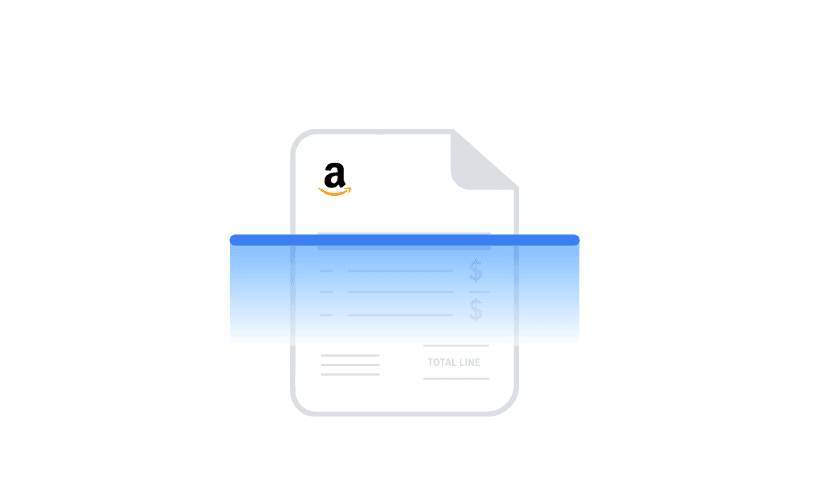
AI extracts merchant, date, amount, and tax details, then sorts every transaction into categories you control.

Review spending by category, generate expense reports, and export clean Excel or CSV files for tax time.
The Suite
ReceiptsAI brings capture, categorization, and reporting together, so you can see where your money goes and keep tax-ready records without the manual data entry.
Snap a photo, upload a file, or forward documents to your private inbox. Receipts, invoices, and bank or credit card statements all work the same way.
AI sorts every transaction into categories you control, keeping your books organized as you go.
Generate expense reports and export to Excel or CSV, with organized records ready for reimbursement, tax time, and your bookkeeper.
A clear dashboard and charts show exactly where your money goes each month.
Every line on your bank or credit card statement is matched to the right receipt or invoice, so you can close the books without cross-checking by hand.
Keep expenses apart by team, client, or business. Each workspace has its own documents, categories, and reports, so nothing gets mixed up.
Industries
See how ReceiptsAI fits the documents, categories, and reporting your line of work actually deals with.
[ pricing ]
Start free with 30 credits. No credit card required. Save up to 33% with annual billing.
All major credit cards accepted · 30-day money-back guarantee · Cancel anytime
Get quick answers about expense management with ReceiptsAI, from capture and categorization to security, pricing, and exports.
Expense management software helps a business record, categorize, and report on the money it spends. Instead of chasing paper receipts and building spreadsheets by hand, you capture each expense once and the software organizes it for you, giving you a clear picture of spending and records that are ready for reimbursement, bookkeeping, and tax time.
It follows three simple steps: capture, categorize, and report. You add receipts, invoices, and bank or credit card statements by uploading them or forwarding them to your private inbox. Our AI extracts the details and sorts every transaction into categories you control. From there you get a visual spending breakdown and can export reports for your accountant or records.
No. You can explore how the suite works and try our free tools first, with no account needed. When you are ready, start free with 30 credits and no credit card. Then you can capture expenses by uploading files or by forwarding receipts to your private ReceiptsAI inbox.
The suite brings together our receipt scanner, invoice scanner, bank and credit card statement extractors and categorizers, receipt organizer, and the expense report generator. Each one handles part of the workflow, from capturing a document to producing a finished, categorized expense report.
Yes. We take privacy seriously. ReceiptsAI uses SSL encryption, is GDPR compliant, and is hosted in the United States. Your documents are processed privately and you can delete your data at any time.
Absolutely. It is well suited to travel and expense management. Employees can capture receipts on the go, categorize them, and produce an expense report for reimbursement, while owners get visibility into total spend.
The most reliable way is to capture each expense the moment it happens and let software categorize it for you, instead of saving receipts to sort out later. With ReceiptsAI you upload or forward receipts, invoices, and statements, the AI extracts and categorizes the details, and you get an organized, exportable record without manual data entry or a spreadsheet that falls behind.
Yes. Our free web tools, including the expense report generator and receipt scanner, are always free to use with no account required. When you want to capture and categorize expenses on an ongoing basis, you can start free in the app with 30 credits and no credit card.
ReceiptsAI focuses on one thing and does it simply: capturing receipts, invoices, and statements and categorizing them with AI. It is built for small businesses and freelancers who want that without corporate card programs, per-user minimums, or the complexity of a full accounting suite. You can start free and export your categorized expenses to Excel or CSV to use alongside whatever accounting tool you already have.
You can start free with 30 credits and no credit card. Paid plans start at $12 per month, and you can cancel anytime. Our free web tools, like the expense report generator, are always free to use.
You can bring in PDF bank and credit card statements, receipt images (JPG, PNG), and invoices. Our tools support statements from major financial institutions in the US and around the world, including Chase, Bank of America, Wells Fargo, Citibank, TD, HSBC, Barclays, Lloyds, and NatWest.