
The bank feed says one thing, the ledger says another, and there's a pile of receipts on your desk that don't seem to match either. That's the moment most small-business owners realize transaction reconciliation isn't admin work, it's the difference between knowing where the cash went and guessing. Credit card fees, duplicate payouts, delayed settlements, missing invoices, and emailed PDFs that never got entered correctly all show up at the same time, usually right before month-end close.
Table of Contents
- Why Transaction Reconciliation Matters for Small Businesses
- What Transaction Reconciliation Actually Means
- Main Reconciliation Types Small Businesses Run
- The Manual Reconciliation Workflow and Where It Breaks
- A Step-by-Step Reconciliation Checklist That Actually Works
- How Automation Changes Reconciliation Day to Day
- KPIs and Audit Readiness for Reconciliation
- Common Reconciliation Questions and Next Steps
Why Transaction Reconciliation Matters for Small Businesses
The worst reconciliation problems rarely start with a dramatic theft or a giant accounting error. They start with a small mismatch, a bank fee that wasn't booked, a Stripe payout that hit two days later than expected, or a vendor payment that got entered twice because someone resent a webhook. By the time a bookkeeper spots it, the balance has already drifted far enough to slow the close and shake confidence in the numbers.
Transaction reconciliation is the control that catches that drift before it becomes a bigger problem. NetSuite describes reconciliation as comparing two or more sets of financial data from individual transactions to identify and resolve discrepancies, and that simple act protects cash flow, tax filings, and the reliability of the general ledger NetSuite on transaction reconciliation. In plain terms, if the bank says money moved and the books say something different, reconciliation is how you find out which side is wrong.
Why owners feel the pain first
Small businesses feel reconciliation issues in daily operations, not just at close. A payment processor can show a settled batch while the invoice list still has open items. A contractor bill can be paid from one account and coded to another. A missing deposit can sit unnoticed until someone asks why cash looks tight even though sales were strong.
Practical rule: if the balance can't be trusted, every downstream decision gets noisier, from payroll timing to tax estimates.
That's why reconciliation belongs with cash control, not just bookkeeping hygiene. Industry guidance treats match rate, exception rate, cycle time, automation coverage, and aged exceptions as the core KPIs because those numbers tell you whether control quality is improving or just being patched by hand NetSuite on transaction reconciliation. When those measures are weak, the close takes longer and the owner spends more time asking where the money went.
The practical shift for many teams is moving from one giant spreadsheet cleanup to a cleaner workflow with fewer exceptions. That's where document intake, field normalization, and automated matching start to matter just as much as the final review.
What Transaction Reconciliation Actually Means
Transaction reconciliation means comparing two or more sets of financial records to make sure they agree. It's the same idea as balancing a personal checkbook against a bank statement, except the business version usually involves more sources, more timing gaps, and more ways for a payment to show up in one system before it appears in another. The goal isn't just to find differences, it's to explain them and post the correcting entries when needed.
A solid reconciliation workflow follows a predictable pattern. You collect the records, match amounts, dates, and descriptions, investigate mismatches, then record corrections where the numbers don't line up NetSuite on transaction reconciliation. That sounds straightforward until the source data arrives in messy formats, which is why reconciliation is as much a data-quality process as a matching process.

The four ledger invariants that keep matching honest
A reconciliation engine should enforce double-entry, idempotency, immutability, and bi-temporality before any matching rule runs Formance engineering guidance. Double-entry protects the basic accounting structure. Idempotency stops the same transaction from being posted twice if a webhook or settlement file gets replayed. Immutability preserves the record once it's written, which matters for audit trails. Bi-temporality lets the system distinguish between when a transaction was effective and when it was recorded, which helps when settlement data arrives late.
Those distinctions matter more than most owners expect. If a Stripe webhook retries, the system has to know whether it's looking at a new payment or a duplicate event. If a bank file lands two days late, the books need to reflect both the economic reality and the recording delay without confusing one for the other.
For a broader accounting context, it also helps to separate transaction reconciliation from planning work. This overview of FP&A vs accounting explained is useful because reconciliation sits firmly on the accounting and control side, not on forecasting. One part tells you what happened, the other helps you decide what might happen next.
Keep the ledger rules clean first. Matching logic only works after the underlying records are trustworthy.
Main Reconciliation Types Small Businesses Run
Most small businesses don't run just one kind of reconciliation. They usually juggle a few, depending on how money moves through the business. A café, an e-commerce store, and a B2B service firm all reconcile different ledgers, but the common thread is the same, the business has to prove that internal records and external records tell the same story.
| Reconciliation Types at a Glance | Source Documents | Typical Frequency |
|---|---|---|
| Bank reconciliation | Bank statements, general ledger, cash entries | Monthly, sometimes more often |
| Card and payment processor reconciliation | Processor reports, payout files, invoices, receipts | Weekly or with each payout cycle |
| Vendor and AP reconciliation | Vendor invoices, purchase orders, payment records | Monthly or per billing cycle |
| Intercompany reconciliation | Subsidiary ledgers, transfer records, consolidation schedules | Monthly or during close |
Bank reconciliation is the one most owners recognize first. It compares the cash balance in the books with the bank statement, which makes it the baseline control for spotting missing deposits, bank fees, or payments that cleared later than expected Trintech basics and FAQs. A retail business usually feels this one in day-to-day cash control.
Card and payment processor reconciliation is more common for Shopify, Square, Stripe, or card-present businesses. The processor file, settlement batch, and bank deposit rarely line up neatly by line item, so you end up matching across several records at once Prosight FA on real-time reconciliation. That's where transaction ID, amount, and timestamp become the practical anchors.
Vendor and AP reconciliation checks what you owe against invoices and payment history. It matters when bills arrive from multiple channels, especially if someone still forwards PDFs by email or drops them into shared folders. Intercompany reconciliation shows up when multiple entities need to agree before consolidation closes, which is less common for sole proprietors but very real for growing groups with separate legal entities Trintech basics and FAQs.
The business model tells you which workflow deserves the most attention. A restaurant owner usually spends more time on bank and card reconciliation, while a services firm may spend more time on vendor invoices and AP.
The Manual Reconciliation Workflow and Where It Breaks
Manual reconciliation usually starts the same way every month. Someone downloads the bank statement, exports the Stripe or Square activity, opens the vendor invoices, and pushes everything into Excel. Then comes the sorting by date and amount, the filtering by description, and the slow row-by-row hunt for items that don't line up.
That process works when volume is low and the data is clean. It breaks when receipts arrive as PDFs with missing line-item detail, when a card processor settles in a different currency, or when a payment gets replayed and lands twice in the ledger. The human eye can catch obvious mismatches, but it's a poor tool for repetitive exceptions that look almost right.
The biggest pain point is upstream, not downstream. If the source files are inconsistent, the matching step becomes a cleanup job instead of a control. One practical guide points to the handoff between document ingestion and matching logic as the place where many failures begin, because poor PDFs, emails, and scans create bad fields before the match engine ever sees them Matil on reconciliation automation.

The steps that burn the most time
- Collecting records: Bank files, processor exports, invoices, and receipts rarely land in one place.
- Normalizing formats: Dates, currencies, and naming conventions need cleanup before matching starts.
- Investigating exceptions: A missing settlement line can take longer to explain than to match.
- Posting corrections: The final entry is easy. The audit trail around it is where many teams fall short.
If you've ever had to clean bank statement data manually, this guide on converting PDF bank statements to Excel shows why extraction quality changes the whole workflow. Better structure at the front end means less time massaging the file before any comparison can happen.
The spreadsheet is not the problem by itself. The problem is asking it to fix bad source data and act like a control system at the same time.
A Step-by-Step Reconciliation Checklist That Actually Works
The most reliable checklist is the one a new bookkeeper can follow without guessing. Start by gathering the source documents, then standardize the dates, amounts, and transaction names so the same item doesn't look different in three systems. From there, match by transaction ID first, because that's the cleanest anchor when it exists.

How to handle the exceptions that never fit neatly
Match by amount and date next, then by description when the identifiers are weak or inconsistent. After that, classify the exceptions so you can separate timing gaps from true breaks. ACH items often settle later than the original entry, card payouts can be bundled, split settlements can produce partial matches, and rounding can create tiny differences that are real but not material.
Foreign currency needs its own discipline. When the transaction was booked in one currency and the settlement lands in another, the books need a clear rule for how the exchange difference is handled. Without that discipline, you can end up treating a normal FX movement like an unexplained break.
Practical rule: investigate by aging and materiality, not by whichever exception is staring at you loudest.
That's the same reason seasoned teams don't leave duplicate-posting checks for the end. If a payment webhook or import file has already created a second entry, the correction should happen before the queue gets cluttered with follow-up noise. For a straightforward checklist that helps teams clean up bank statement formatting and related errors, fix common reconciliation errors gives a useful practical reference.
Once the break is explained, post the correcting entry, document the support, and close the period. A clean close is less about perfection and more about proving each exception was handled in a consistent way.
How Automation Changes Reconciliation Day to Day
Automation doesn't remove reconciliation, it removes the parts that waste the most time. In mature AI payment reconciliation deployments, straight-through match rates commonly reach 87% to 92% for standard AP vendor payment matching, manual matching time falls by 70% to 80%, and exception queues drop to 5% to 15% of total transactions 2025 AI payment reconciliation benchmarking data. That means the team spends less time proving obvious matches and more time reviewing the items that need judgment.
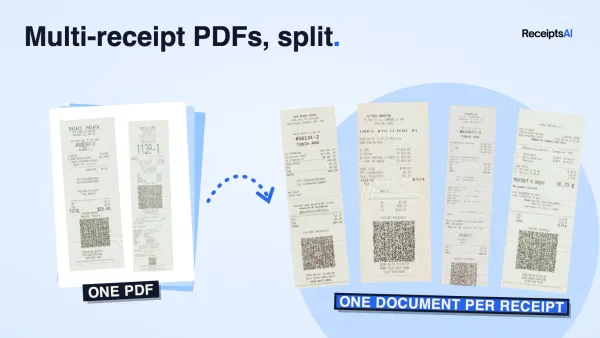
The daily change is simple, but it matters. Instead of exporting four files, sorting them in Excel, and hand-keying fields, the team forwards receipts and invoices into a document intake layer, lets the system identify document type, and extracts the relevant fields automatically. ReceiptsAI is one option in that category, and it handles receipts, invoices, PDFs, spreadsheets, categorization, duplicate detection, and foreign currency support in one workflow.
Why upstream ingestion matters more than another matching rule
One 2026 automation analysis argues that 60% to 70% of reconciliation failures stem from poor upstream data quality Matil on reconciliation automation. That number is a reminder that the match engine isn't always the first place to fix. If the PDF is unreadable, the email attachment is incomplete, or the scan drops a critical field, even a smart matcher is working from damaged input.
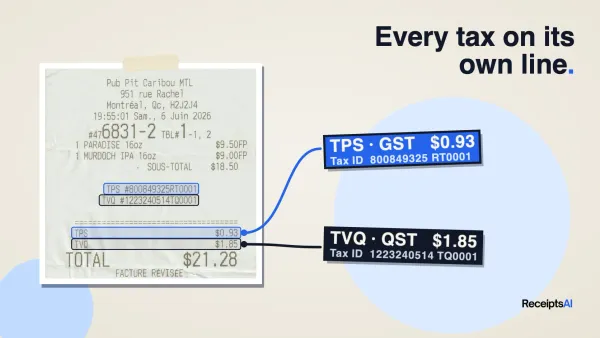
That's where the document layer earns its keep. ReceiptsAI's intake process centralizes the files, extracts key fields, and keeps duplicates from entering the workflow twice. It also helps when foreign currency entries need to be normalized before they hit the books, which is exactly the kind of tedious cleanup that creates reconciliation churn in the first place.
For teams that still type invoice data by hand, automating data entry is the simpler conversation to have before full reconciliation automation. If the source record is cleaner, the match queue gets smaller and the reviewer spends less time on preventable exceptions.

KPIs and Audit Readiness for Reconciliation
Good reconciliation isn't measured by how busy the bookkeeper looked. It's measured by a small set of control metrics, especially match rate, exception rate, cycle time, automation coverage, and aged exceptions NetSuite on transaction reconciliation. Those KPIs show whether the process is getting cleaner, faster, and more predictable.
What each KPI tells you
- Match rate shows how much of the ledger can be cleared without manual intervention.
- Exception rate tells you how much work still needs human review.
- Cycle time shows how long the close takes.
- Automation coverage shows how much of the workflow is already handled by rules or software.
- Aged exceptions reveal the items that keep slipping from one period to the next.
A small business doesn't need a giant dashboard to use these well. It needs a repeatable monthly file with source documents, supporting evidence, and a note explaining each correction. That's the difference between being able to answer an auditor quickly and having to rebuild the story from old emails and desktop folders.
For a useful reference on when a formal audit is required, when is an audit required in the provides context that helps owners decide how strict their evidence trail should be. Even when an audit isn't required, the discipline pays off during tax season and lender requests.
Storing everything in one searchable place matters too. A reconciliation file should show who posted the correction, why it was posted, and which source record supports it. For a practical approach to keeping those records organized, secure document storage is a good benchmark for what a clean supporting file should look like.

Common Reconciliation Questions and Next Steps
Most owners ask the same four things after they've lived through a few close cycles. How often should reconciliation run? Monthly is the baseline, and more frequent checks help when transaction volume is high or cash moves quickly. What about exceptions that never resolve? Keep them aging separately and escalate them, because unresolved items don't become less important just because they're old.
How should foreign currency gains and losses be handled? They need a clear policy, not a guess at month-end, because exchange movement can make a correct transaction look wrong if the timing isn't documented. When should you bring in a forensic accountant? Usually when the pattern stops looking like routine timing errors and starts looking like missing records, repeated duplicate posts, or unexplained variances that don't clear with normal review.
If your current process still depends on too many PDFs, too much copying, and too much spreadsheet cleanup, the next move is simple. Test a system that cleans up document intake before the match engine ever sees the data, then compare the number of exceptions you still have to handle by hand.
ReceiptsAI helps small businesses centralize receipts, invoices, and bank documents, extract the key fields, and reduce the cleanup that usually slows reconciliation down. If you want a more controlled month-end close and fewer exception piles on your desk, visit ReceiptsAI and see how much of the manual workflow can disappear in the first week.