How to Forward Emails in Zoho Mail Automatically: Step-by-step

Zoho Mail can automatically forward selected emails to another address by using filters. This guide walks through setting up a Zoho Mail filter for receipts, invoices, and similar messages, with extra notes for anyone forwarding those emails to ReceiptsAI.
What you need before you start
- Access to the Zoho Mail account you want to forward from.
- The email address that should receive forwarded messages.
- ReceiptsAI users: your private ReceiptsAI forwarding address.
Zoho Mail forwarding setup steps
Choose what Zoho Mail should forward
Before creating the filter, decide which emails should be forwarded. You can keep the filter broad with keywords, or make it stricter by matching specific vendors, senders, attachment rules, or other Zoho Mail properties.
Step 1
Open Zoho Mail filters
Copy the forwarding address you want Zoho Mail to use. This is the private forwarding address in your email forwarding settings. Then open Zoho Mail, click the settings gear icon in the top-right corner, navigate the sidebar to Filters, and click + New Filter.
Step 2
Create the forwarding filter
Give the filter a name that will be easy to recognize later. Next, choose the filtering conditions. In this example, the filter looks for emails that contain receipt or invoice, but you can adjust the conditions based on your own workflow.
In Actions, choose Forward Email to and enter the forwarding address. Optionally, select the option to run existing emails through the filter if you want Zoho Mail to send matching older emails too. Then click Save.
Step 3
Verify the forwarding address
Back in the Zoho Mail filters menu, click Verify next to the filter you just created. Zoho will ask for the confirmation code that was sent to the forwarding address.
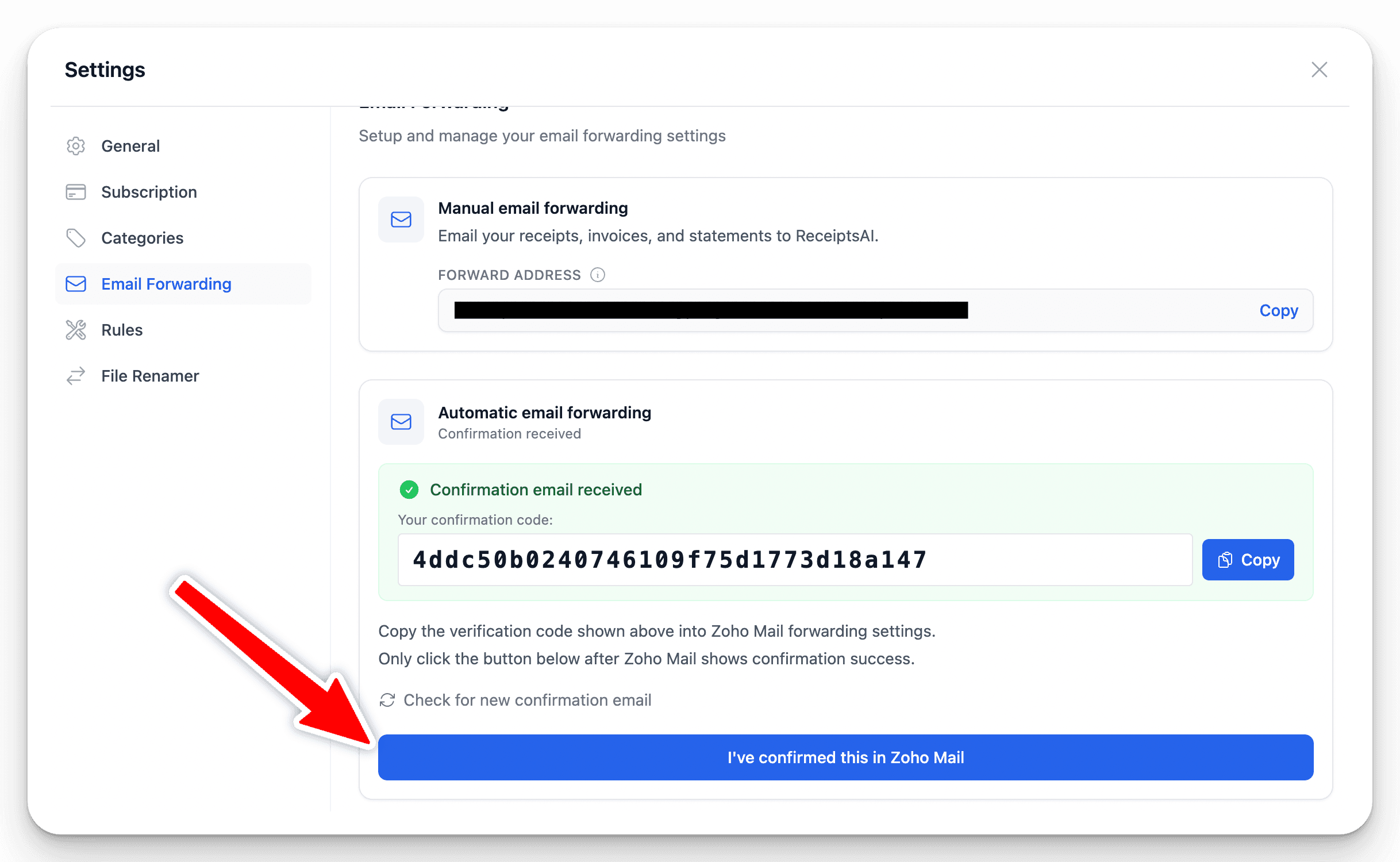
If you are using ReceiptsAI, return to the email forwarding settings and copy the Zoho confirmation code from there. If the code has not appeared yet, click Check for confirmation email and wait 1-2 minutes for Zoho Mail to deliver it. Then return to Zoho Mail, paste the code into the verification box, click Confirm, and click Update to finalize the filter.
Step 4
Finish the ReceiptsAI connection
ReceiptsAI users should return to ReceiptsAI and click I've confirmed this on Zoho Mail. Once ReceiptsAI confirms the setup, your Zoho Mail filter can automatically forward matching receipts, invoices, and bank statements for processing.
Zoho Mail forwarding is now connected to ReceiptsAI
New matching Zoho Mail messages can now be forwarded to ReceiptsAI automatically, so receipts, invoices, and bank statements can be uploaded, extracted, and prepared for review.
Zoho Mail forwarding tips
Keep the filter focused
Start with receipt and invoice keywords, then refine the filter if too many unrelated messages are forwarded.
Add more filters later
You can create separate Zoho Mail filters for vendors, bank statements, attachment types, or other forwarding workflows.
Keep the address private
A ReceiptsAI forwarding address is unique to your account, so only use it in trusted email rules and workflows.
Zoho Mail forwarding FAQ
How do I auto forward emails in Zoho Mail?
Open Zoho Mail settings, go to Filters, create a new filter, choose the conditions that should match incoming emails, and add Forward Email to as the filter action.
Can Zoho Mail forward only receipts or invoices?
Yes. Use filter conditions such as subject, sender, body text, attachments, or keywords like receipt and invoice so Zoho forwards only the messages you want.
Can I change the Zoho Mail filter later?
Yes. Zoho Mail filters can be edited after setup, so you can add vendors, remove conditions, or create additional filters as your workflow changes.
Can Zoho Mail forward old emails?
When creating the filter, Zoho may let you run existing emails through the filter. Select that option if you want matching older emails to be forwarded too.
Where do ReceiptsAI users find the Zoho confirmation code?
Open the ReceiptsAI email forwarding settings. If the Zoho confirmation code has not appeared yet, use the check button and wait a minute or two for Zoho to deliver it.
Should I forward every Zoho Mail email to ReceiptsAI?
Most ReceiptsAI users should forward only financial emails such as receipts, invoices, and bank statements. This keeps unrelated emails out of your workspace.