

The panic usually starts the same way. A stack of receipts is still on a desk, bank transactions don't match the spreadsheet, and someone is trying to remember whether that software charge was a subscription, a one-off setup fee, or a personal test purchase that should've never gone on the business card. By the time month-end rolls around, the issue isn't just messy books, it's lost time, uncertain deductions, and a close that drags into the next week.
The fix isn't more hustle. It's a system that separates spending, captures proof immediately, categorizes with intent, and reconciles on a fixed cadence. When that workflow is in place, track business expenses stops being a cleanup task and becomes a control system for cash flow, tax readiness, and decision-making.
Table of Contents
- Why Most Business Expense Systems Fall Apart
- Build Your Expense Tracking Foundation
- Capture Every Receipt Invoice and Statement Without Chasing Paper
- Automate Categorization and Track Spend by Expense Type
- Reconcile Review and Report on Your Business Spending
- Stay Tax Ready and Avoid Common Expense Tracking Mistakes
Why Most Business Expense Systems Fall Apart
Most expense systems don't fail because people are careless. They fail because the process depends on memory, spare time, and a heroic end-of-month push that never arrives when everyone needs it. The result is the same, business owners find themselves sorting through old emails, duplicate charges, and partial records right when they need clean numbers most.
I've seen this with teams that meant well. They kept receipts in glove compartments, dropped invoices into random inboxes, and told themselves they'd “fix it in bookkeeping later.” Later always turned into a harder problem, because manual matching and validation slow the close and distort forecasting, which is exactly why a disciplined workflow matters. A practical process starts with dedicated accounts, immediate capture, clear categorization, and scheduled reconciliation, not with a pile of exports and hope. How business process improvement applies to finance teams is a useful lens if you want to think about expense tracking as a repeatable operation instead of a rescue mission.
What good tracking actually delivers
Good expense tracking gives you three things that shaky systems don't. First, it shows real profit because spend is recorded consistently. Second, it keeps tax records ready without last-minute scavenger hunts. Third, it gives you documentation that stands up when someone asks why a cost happened and whether it belongs in the books.
Practical rule: If a transaction can't be found, explained, and matched quickly, it isn't fully tracked yet.
That's why the businesses that benefit most from disciplined tracking are the ones with frequent card spend, mixed vendor activity, or recurring reimbursements. They can't afford to wait for the monthly panic. They need a process that keeps up with the pace of work, even in busy weeks.
Build Your Expense Tracking Foundation
A messy expense process starts the same way every time. Business money mixes with personal spending, receipts live in random places, and no one can tell whether a charge belongs to software, travel, or client work. The fix is simple in principle and demanding in practice, separate business money from everything else, then keep every operating purchase on that lane.

The foundation has to hold up under real workflows, not ideal ones. Use a dedicated business bank account and business card, capture supporting documents as soon as the spend happens, classify each item by tax or GL category, then reconcile bank feeds against source documents on a fixed cadence. That sequence keeps card swipes, ACH payments, subscriptions, reimbursements, and vendor invoices in one controlled flow instead of scattered across inboxes and spreadsheets. Independent guidance from Forbes Advisor points to regular reconciliation with a line-by-line check of amount, date, and payee, which matters because manual matching is where close delays usually start.
Set the structure before the volume arrives
Pick the categories you will use for taxes and management reporting before the spending grows. A chart of accounts should reflect how you review spend, not every possible edge case your software can store. Travel, supplies, marketing, software, contractors, and office costs usually cover a lot of ground without creating clutter, and they keep review work manageable when the books get busy.
Write a simple expense policy for yourself or your team. Spell out what counts as reimbursable, what receipt detail is required, and when a transaction needs a note. If you want a practical outside reference, the expense tracking for founders guide from Jumpstart Partners keeps the focus on founder-level decisions and the trade-offs that come with them.
File naming matters too. Use a consistent format with date, vendor, and amount so documents sort cleanly in any folder or accounting system. Once your categories, accounts, and naming rules are set, every new receipt has a home before anyone uploads a file.
Keep the policy small enough to follow
A policy that tries to cover every exception gets ignored. A short one gets used. Set a threshold for when receipts are required, decide who approves unusual spend, and keep the wording plain enough that an employee can follow it without asking finance for a translation.
Use fewer rules, but make them clearer.
That is what a solid foundation does. It reduces decision fatigue, keeps categorization consistent, and makes reconciliation feel routine instead of forensic.
Capture Every Receipt Invoice and Statement Without Chasing Paper
The daily habit that saves books from drifting is simple, capture the document when the spend happens. The moment a card swipe, ACH transfer, or subscription charge hits, the supporting file should move into a digital vault. Waiting until Friday turns a two-minute task into a treasure hunt.

For paper receipts, the fastest method is a phone scan before you leave the counter. For emailed invoices, use forwarding rules so incoming bills land in the right folder or inbox automatically. For PDF statements, bulk upload is faster than treating each file like a separate project, especially after travel or a busy client week. The goal is not perfect ceremony, it's making sure the proof exists before the paper disappears.
Match the capture method to the document type
Paper receipts are fragile, so they need immediate mobile capture. Invoices are already digital, so they should be forwarded or saved without retyping. Statements and foreign currency documents often need a little more context, so add the vendor, purpose, and payment source right away while the transaction is fresh.
A short routine works better than a complicated one:
- Scan immediately: Take a photo or upload the receipt before it leaves your hand.
- Forward digital files: Route invoices and statements to one inbox or vault so they don't scatter.
- Add context once: Record purpose, project, or client note while the transaction is still fresh.
- Flag odd cases fast: Missing tax details, foreign currency, and unclear vendor names need review early.
The trick is to stop treating capture like archiving and start treating it like evidence collection. Missing receipts are one of the most common failure modes in expense tracking, and the cleanest fix is to capture first, sort second. A practical tool option for this kind of workflow is the digital filing cabinet and receipt scanning tools guide, especially if you're moving from paper folders to searchable files.
Handle gaps before they become patterns
A missing receipt is annoying. A pattern of missing receipts is a bookkeeping problem. If a vendor sends duplicates, mark the later version before it gets counted twice. If a document never arrives, note the transaction in the ledger while you request the source file, so the books don't stall on one absent PDF.
A daily two-minute capture habit usually beats a weekly cleanup marathon because the details are still visible when you enter them. That's especially true on travel days, when receipts get wrinkled, emailed confirmations get buried, and nobody remembers which transaction belonged to which lunch.
Automate Categorization and Track Spend by Expense Type
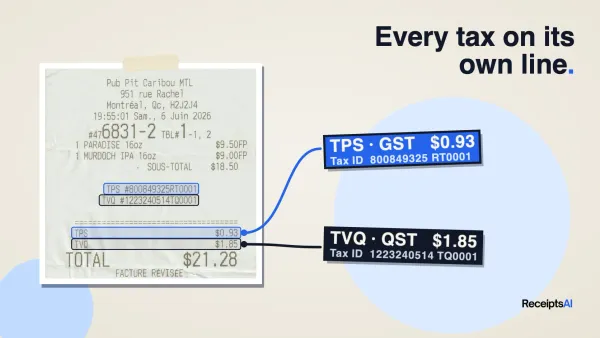
Manual categorization works until volume, complexity, or speed gets in the way. Automation helps because it extracts the merchant, date, tax amount, total, payment method, and other fields from receipts and statements, then applies rules that keep categories consistent. That cuts down on retyping and makes the archive searchable later, which matters once you've got months of documents to review.

The bigger shift is thinking by expense type, not just by category. General operating spend can flow through bank feeds, while subscriptions often need SaaS-aware tracking, and infrastructure bills belong in cloud billing APIs or provider exports. Newer guidance points out that consumption-based cloud and AI spend can move too fast for a monthly close to catch in time, so weekly or real-time review is the safer rhythm for those lines. That distinction matters because many businesses now treat AI and cloud like ordinary overhead even though their behavior is very different from office supplies or travel. How to calculate operating expenses is a helpful reference when you want to separate true operating lines from other spend in a way that survives reporting.
Use the right input for the right spend
Bank feeds are fine for broad, low-friction expenses where the transaction itself is the main record. SaaS subscriptions often work better with a vendor list, renewal dates, and recurring-charge checks so forgotten tools don't pile up. Cloud and AI spend often need a separate review layer because usage, not just invoice timing, drives the bill.
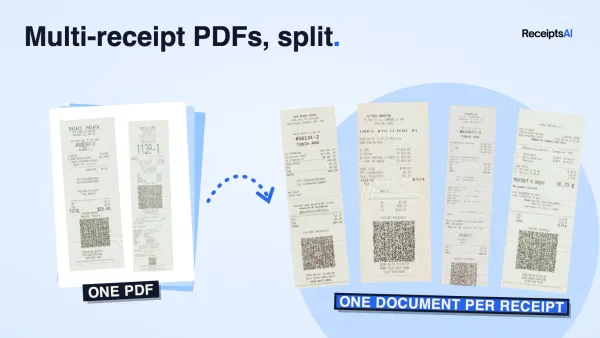
That's where automation pays off. A system that renames files, sorts documents, and applies rules consistently gives finance a cleaner archive without making staff manually tag every upload. ReceiptsAI fits naturally here as one option for teams that want to upload receipts, invoices, PDFs, and bank statements, then let the platform extract details, categorize transactions, detect duplicates, and generate reports from the same document set.
Don't let monthly reviews hide fast-moving costs
A monthly close is too slow for some spend types. If cloud usage spikes on Tuesday, discovering it at month-end is too late to change behavior. The better pattern is to review those categories more frequently, then keep the broader monthly review for everything else.
Expense tracking by type is what stops a fast bill from becoming a surprise.
Searchable archives also matter more than people expect. If you can query by vendor, amount, or line item, you stop losing time to inbox archaeology. That's a practical reason to prefer systems that sort and rename automatically, especially when multi-currency charges or repeated invoices need consistent treatment.
Reconcile Review and Report on Your Business Spending
Reconciliation is where the books become trustworthy. A bank feed alone does not prove a charge is correct, and a receipt alone does not prove it hit the account you expected. The job is to match both sides on a fixed schedule so small errors do not pile up.

Weekly matching handles the routine work, then the monthly review catches what slipped through. Line by line, check the amount, date, and payee, because that is where mismatches usually hide. If you want a separate walkthrough of the matching mechanics, the transaction reconciliation guide is a practical reference for building the habit into your close.
Use a repeatable reconciliation checklist
Start with the bank feed. Match each line item against the source document, then fix mismatches before they roll into the next period. If the amount is right but the payee is wrong, or the date is off, resolve it while the context is still available.
A simple checklist keeps the process from drifting:
- Match the amount. Confirm the charge or transfer equals the supporting document.
- Confirm the date. Make sure timing aligns with the statement and the receipt.
- Verify the payee. Check that the vendor name, processor, or merchant makes sense.
- Clear exceptions. Separate duplicates, refunds, personal charges, and missing docs.
- Lock the period. Once reviewed, do not reopen old items unless there is a real correction.
For teams that want a clearer process map, avoid reconciliation errors with Everglow provides a useful bank reconciliation reference.
Turn reconciliation into reporting
Once the records match, reporting becomes useful instead of cosmetic. Expense reports show where money went, income reports tell you whether costs fit the revenue story, and monthly pivot tables make category shifts easier to spot. That is also where overspending usually shows up first, in repeated vendor lines, creeping software renewals, or travel costs that no one flagged in time.
A deeper monthly review should answer three questions. What changed, what needs approval, and what should be cut or renegotiated. The point is not to admire the numbers, it is to make the next month cleaner than the last.
Weekly reconciliation catches the mistake. Monthly review explains the pattern.
That rhythm also helps the month-end close. When the feed has already been matched and the exceptions have already been handled, the accounting file is ready for taxes, planning, and any board-level or owner-level reporting without a late scramble.
Stay Tax Ready and Avoid Common Expense Tracking Mistakes
Tax readiness is the natural result of good expense tracking, not a separate project. If records are centralized, categorized consistently, and reconciled on schedule, the year-end file is mostly assembled already. That also makes it easier to defend deductions, because the documentation trail is there when someone asks for it.

The five recurring failures are familiar: lost receipts, personal and business spending mixed together, unreconciled statements, inconsistent categorization, and unrecorded checks. A consulting source reports that 19% of expense reports contain errors requiring clarification, and another industry source says businesses that track expenses properly can save up to 25% annually by reducing unnecessary costs, which is a good reminder that the cleanup burden isn't just administrative, it's financial too, as summarized in common expense tracking errors.
Build the habits that prevent cleanup work
The fix for lost receipts is immediate capture. The fix for mixed spending is dedicated accounts and cards. The fix for unreconciled statements is a weekly or at least monthly check that forces the books back into line before details fade.
A simple workflow holds up better than a clever one:
- Use one business lane: Keep business spending off personal cards and accounts.
- Capture on the spot: Save the receipt, invoice, or statement the moment the expense happens.
- Categorize once: Assign each item to the same tax or GL category every time.
- Reconcile on schedule: Match amount, date, and payee before month-end.
- Review for decisions: Look for waste, duplicates, and recurring charges that no longer earn their keep.
That routine does more than reduce errors. It creates a paper trail that helps with audits, supports deductions, and makes it easier to see where spend can be trimmed without harming operations. Clean books aren't about perfection, they're about having enough structure that busy weeks don't wreck the records.
If you want this system without the manual drag, ReceiptsAI can help by centralizing receipts, invoices, PDFs, and bank statements, then extracting fields, categorizing transactions, spotting duplicates, and producing expense and income reports in one place. Visit ReceiptsAI and put a cleaner expense workflow in place before the next close turns messy again.