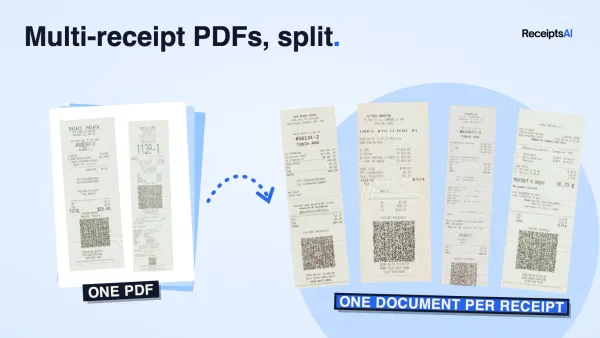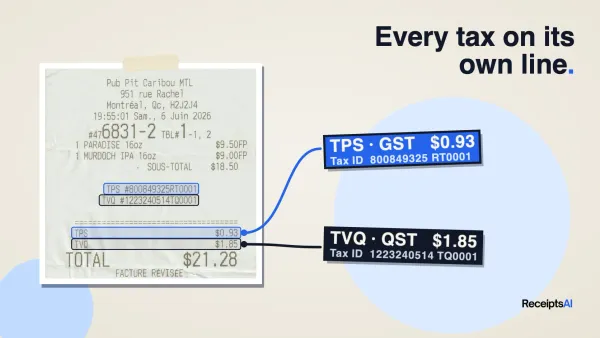

At month-end, the problems usually look small until they all land at once. A drawer of petty cash receipts. An employee who swears they bought supplies for a client visit but can't find the proof. A company card statement with charges for apps nobody remembers approving. Then the bookkeeping team has to sort out what was legitimate, what belongs in which category, and what still needs documentation.
That mess is exactly why many owners start looking at prepaid credit cards for businesses. Not because the card itself is exciting, but because controlled funding is often easier to manage than open-ended spending. If you preload a card for a route supervisor, a project manager, or a remote contractor, you set the boundary before the purchase happens instead of chasing it after the fact.
The catch is that the card program alone doesn't solve the bookkeeping problem. It only works well when spending controls, receipt capture, and reconciliation are designed together from day one.
Table of Contents
- The End of Petty Cash and Expense Report Chaos
- Prepaid Cards vs Other Business Payment Methods
- Key Benefits and Potential Drawbacks
- Top Use Cases for Smart Spending Control
- Choosing the Right Prepaid Card Program
- Implementing and Managing Your Card Program
- Automating Reconciliation with Bookkeeping Solutions
The End of Petty Cash and Expense Report Chaos
One retail operator I worked with had three spending systems at the same time. Store managers used petty cash for urgent purchases, the owner used the main business card for online buying, and field staff paid out of pocket and submitted receipts later. Nothing looked terrible in isolation. Together, it was a monthly cleanup project.
The cost wasn't just the missing paper. It was the lack of control before the spend happened. A reimbursement process tells you what someone already spent. Petty cash tells you even less. A prepaid business card, used properly, acts more like a dedicated envelope of approved funds tied to a role, budget, or purpose.
That difference matters when you want cleaner records and fewer arguments about what was authorized.
Why prepaid cards changed the conversation
Prepaid cards became a serious payment channel long before most small businesses started using them for structured expense control. In the United States alone, prepaid card transaction value reached over $140 billion by 2009, with more than 6 billion individual prepaid card transactions recorded that year, according to the Federal Reserve payments study.
For business use, the appeal is straightforward. You load funds in advance, issue the card for a defined purpose, and reduce the chance that someone can run up spending outside policy.
Practical rule: If a purchase category creates repeated expense report friction, it probably shouldn't run through reimbursements anymore.
Where small teams usually go wrong
A lot of owners replace petty cash with cards but keep the same habits. They hand out cards without naming an owner, don't require same-day receipt submission, and let one card cover mixed uses such as fuel, software, and ad hoc office purchases. That setup creates confusion fast.
A better starting model looks like this:
- One purpose per card: Assign a card to travel, fuel, subscriptions, or project spend. Mixed-purpose cards are harder to review.
- One accountable person: Even if several people benefit from the spend, one person should be responsible for receipts and coding.
- One documented workflow: The card issue process should sit beside your approval and reporting process, not outside it.
If your team still relies on reimbursements for routine purchases, it's worth fixing the process before the paperwork piles up again. A disciplined monthly expense report workflow will show you where prepaid cards can remove the most friction first.
Prepaid Cards vs Other Business Payment Methods
A controller usually feels the difference the month-end after the cards go live. One setup produces a clean card feed, clear owners, and receipts that match the spend. Another produces uncategorized charges, shared cards, and a reconciliation mess that lands back on finance.
Prepaid cards sit in a specific lane. They fund spending in advance, cap exposure at the loaded amount, and work best when the business wants control before a purchase happens. Corporate credit cards and debit cards solve different problems.
The functional differences that matter
The useful comparison is not convenience. It is control, cash impact, and how much bookkeeping cleanup each payment method creates later.
| Feature | Prepaid Business Card | Corporate Credit Card | Business Debit Card |
|---|---|---|---|
| Funding source | Money loaded in advance | Issuer's credit line | Business bank account |
| Spending ceiling | Loaded balance | Approved credit limit | Available account balance |
| Cash flow effect | Cash leaves earlier, at funding | Cash leaves at statement payment | Cash leaves immediately at purchase |
| Debt risk | No revolving card debt from spend | Yes, if balances are carried | No card debt |
| Exposure if card is misused | Limited to loaded funds | Can run up to the card limit before review | Direct hit to the operating account |
| Best use | Controlled employee spend, project budgets, contractor purchases, recurring low-risk vendors | Higher-volume operating spend, travel, larger vendor relationships | Limited owner use or tightly supervised purchases |
That cash timing matters more than many owners expect. Prepaid cards improve spending discipline, but they also pull cash out of the bank before the expense is incurred. If working capital is tight, a credit card may be the better tool for some categories because it gives breathing room between purchase date and payment date.
Where prepaid cards win
Prepaid cards are strongest when the business wants to delegate spending without giving open-ended access to cash or credit.
That includes field teams, temporary staff, event budgets, location managers, and recurring online spend where you want a fixed limit. In those cases, the card itself enforces the budget. Finance does not have to rely only on policy and after-the-fact review.
They also fit well in a cleaner bookkeeping workflow. If each prepaid card has a defined job, such as fuel, travel, or ad spend, the transaction data arrives with context already attached. That makes coding faster and exceptions easier to spot. This matters if you want the card program to feed directly into automated receipt capture and bookkeeping rather than creating another queue of transactions someone has to interpret manually.
Where credit and debit still make more sense
Corporate credit cards are better for purchases that need flexibility. Hotel holds, larger supplier payments, emergency procurement, and travel-heavy teams often run into prepaid limits or merchant authorization quirks. A prepaid balance can be enough for the final charge but still fail if the merchant places a larger temporary hold.
Debit cards are simple, but they create a different kind of risk. They pull directly from the live bank balance, which is why I rarely recommend them for broad employee use. If a prepaid card is used incorrectly, the exposure is ring-fenced to the loaded funds. If a debit card is used incorrectly, the operating account takes the hit immediately.
The real trade-off is operational, not theoretical
Prepaid programs reduce one problem and can create another if the setup is sloppy. You gain tighter spend control, but you also add funding rules, card-level ownership, and reload decisions. If nobody owns those tasks, finance ends up chasing receipts and topping up cards by exception all month.
That is why the best comparison is not just card features. It is process fit.
A prepaid card program works well when each card has a purpose, an owner, a spend limit, and a receipt workflow tied to bookkeeping. A credit card program works well when the business can handle policy enforcement and statement review centrally. A debit card only works well when access is very limited and the bank account exposure is acceptable.
If you are comparing broader payment workflows, this guide to B2B card payment strategies for SMEs is a useful reference point.
Key Benefits and Potential Drawbacks
Prepaid credit cards for businesses solve a real control problem. They also create a few operational constraints that owners underestimate. The cards work well when you want discipline. They work poorly when you expect them to behave exactly like a full corporate credit program.

Where they help immediately
The first benefit is hard budget control. If you load a defined amount to a department card, a trip card, or a contractor card, the spending limit is real. You don't need to rely only on policy language and after-the-fact review.
The second benefit is cleaner delegation. A site manager can buy approved materials without touching the owner's main card. A remote employee can pay for a software tool without seeing the bank account. A temporary worker can receive limited spending power without being folded into a broad card program.
There is also a practical accounting benefit. Prepaid cards encourage category-specific design. When a business creates separate cards for fuel, travel, or recurring software, the bookkeeping team spends less time untangling mixed purchases later.
If you're comparing broader payment workflows, this guide to B2B card payment strategies for SMEs is useful because it frames cards as part of a larger payables and spend-control process rather than just a payment convenience.
Where businesses get frustrated
The biggest disappointment usually comes from merchant edge cases. Some merchants, especially those that place temporary holds, don't work smoothly with prepaid balances. That can cause unnecessary declines even when the underlying spend is legitimate.
The second problem is admin burden. If you issue cards without a clear policy, naming rules, funding process, and receipt standard, you've moved the chaos from expense reimbursements into a different drawer.
A third issue is fees. Providers may charge for setup, maintenance, loading, replacement, or certain transaction types. The exact cost depends on the program, so you have to read the fee schedule closely instead of assuming a low-friction product is a low-cost one.
What works and what doesn't
What works is narrow use with strong purpose:
- Dedicated spend lanes: One card for travel, one for fuel, one for recurring software.
- Fast receipt rules: Cardholders submit proof right after purchase, not at month-end.
- Funding discipline: Finance loads cards on a schedule tied to approved budgets.
What doesn't work is broad, vague rollout:
- Shared cards without ownership: Nobody feels responsible, so receipt capture slips.
- Mixed spending categories: A single card used for subscriptions, meals, and supplies becomes difficult to review.
- No backup payment method: A prepaid decline at the wrong moment can stall operations.
Prepaid cards are best when control matters more than flexibility. If flexibility matters more, another payment method may fit better.
Top Use Cases for Smart Spending Control
The strongest prepaid card programs are built around actual operational friction. They aren't launched because a business wants more cards. They're launched because one recurring expense pattern keeps creating cleanup work.
Many small businesses manage 10 to 30 vendors per month across different cost centers, yet most guides don't explain how to handle recurring subscriptions or map spend from similar merchant names, which creates reconciliation problems and weakens the audit trail, as noted in U.S. Bank's discussion of business expenditure management.
Travel and field spending
A service company with technicians on the road usually starts here. Fuel, meals, parking, emergency supplies, and occasional lodging all generate small but frequent spend. Reimbursements are slow, and petty cash isn't realistic across multiple locations.
A prepaid card works well when each field lead gets a defined budget and approved merchant types. The card becomes an operating tool, not an open invitation to spend.
What makes this succeed is category design. Fuel should not sit on the same card as meals and hotel incidentals unless the team is small enough to review every transaction manually.
Contractors and project-based teams
Contractors often need buying power without broad financial access. A prepaid card solves that neatly when the work is time-bound or project-bound.
Take a renovation crew leader buying job-specific materials. The business can load funds for that project only, require receipts tied to the job code, and shut the card down when the work is complete. No reimbursement argument. No need to expose a main company card.
Give contractors access to a budget, not access to your banking structure.
Recurring software and online vendors
This is one of the most underused applications. A dedicated prepaid card for subscriptions makes rogue software easier to spot and easier to cut off. When a trial converts unexpectedly or a department starts stacking overlapping tools, finance can see it in one lane.
It also creates a clean control point for renewals. If the card is funded only for approved subscriptions, renewal decisions become more deliberate.
Department and event budgets
Marketing teams, pop-up retail teams, hospitality managers, and event coordinators often need spend autonomy for a short period. Prepaid cards are useful here because they mirror the approved budget.
A few practical examples:
- Seasonal operations: A holiday retail manager gets a card for local supplies and staff meals tied to store opening activity.
- Events: A trade show team gets one card for booth-related spend and another for travel.
- Branch locations: A local manager gets a card for minor approved purchases instead of tapping central finance every time.
Fleet and operational purchasing
Fleet operators often need fast purchases in the field, but they also need reviewable data later. A prepaid card program can separate vehicle-related purchases from general operating spend, which makes review faster and exceptions easier to investigate.
Many businesses either win or lose the bookkeeping battle based on how their card programs are structured. A card program is only as good as the category structure behind it. If a single prepaid card is used for fuel, hardware, apps, and meals, the control benefit disappears quickly.
Choosing the Right Prepaid Card Program
The market for prepaid card providers is no longer niche. In the United States, the prepaid credit and debit card providers industry is projected to reach approximately $18.6 billion in 2026, with 492 businesses operating in the sector, according to IBISWorld's industry analysis. That tells you two things. There are plenty of options, and not all of them are built for the same kind of business.
The selection mistake I see most often is choosing based on surface convenience. A nice card and a simple signup flow don't mean the program will hold up once accounting, approvals, exceptions, and month-end review hit the system.

The checklist that matters
Start with the fee schedule. Not because fees are always high, but because hidden friction usually shows up there first.
- Loading and maintenance costs: Ask how the account is funded, what recurring fees apply, and whether replacement or admin actions trigger charges.
- Card controls: Check whether you can set limits by person, merchant type, or purpose.
- Physical and virtual card options: Physical cards suit field teams. Virtual cards are better for subscriptions and online vendor use.
- Admin dashboard quality: If the portal makes it hard to freeze cards, review transactions, or export data, the finance team will feel it quickly.
Then look at support and reliability. When a cardholder is standing at a merchant counter or a manager needs a same-day reload, weak support becomes an operating problem, not just an annoyance.
Questions worth asking before you sign
Ask providers how transactions appear downstream for reconciliation. Ask what data is available with each transaction. Ask whether cardholders can easily attach proof of purchase within the workflow you already use.
Also ask how the program handles growth. A simple setup for a tiny team may become clumsy once you add more departments, locations, or approval layers.
A useful parallel comes from other operational systems. Businesses that already run loyalty and referral programs know that tools need more than a front-end feature list. They need clear administration, user management, and reporting that still works once usage expands. Card programs are no different.
A practical decision filter
If you're comparing two providers and both look acceptable, use this filter:
| Decision factor | Better choice |
|---|---|
| You need tight employee controls | The provider with stronger admin rules and simpler card freezing |
| You manage recurring online vendors | The provider with cleaner virtual card support |
| You operate in the field | The provider with reliable physical card management and faster support |
| You care most about bookkeeping speed | The provider with cleaner exports, descriptors, and transaction detail |
Choose the provider your bookkeeper can live with every week, not the one that demos best in fifteen minutes.
Implementing and Managing Your Card Program
Monday morning is when weak card setups show themselves. A site manager needs fuel, a team lead bought supplies on the wrong card, three receipts are still missing, and accounting is trying to close last week with half the context. The rollout goes wrong long before anyone notices a fraud risk. It goes wrong when cards are issued before the operating rules, funding rules, and coding rules are settled.
Start with a written policy that people can use under pressure. It should state who can hold a card, what each card is allowed to buy, what needs pre-approval, when receipts must be submitted, who reviews exceptions, and what happens if someone keeps breaking the rules. Keep it short. If supervisors will not read it, they will not enforce it.
Set the program up by spend type, not by job title alone. Travel, fuel, branch incidentals, online subscriptions, and project purchases each create different review problems. They should not all sit under one generic limit and one generic rule set.
A clean rollout usually follows four steps:
- Map the spend lanes: Decide which payments belong on prepaid cards and which should stay in purchasing, accounts payable, or a standard company card program.
- Assign one owner per card: Shared use creates shared confusion. One named custodian keeps accountability clear, even if several employees benefit from the purchases.
- Load funds on a schedule: Planned top-ups are easier to approve, track, and reconcile than emergency reloads.
- Train for evidence, not just spending: Cardholders already know how to tap a card. They need to know how to capture receipts, add job or department context, and submit proof on time.
That last point saves the most time later.
I have seen small teams spend more time chasing documents for ten low-value card purchases than they spend reviewing a full supplier payment run. The difference is process discipline. If the receipt, business purpose, and approver are captured at the time of spend, prepaid cards are easy to control. If that information arrives days later by text message or email, month-end gets messy fast.
Prepaid programs also need timing rules that align with how finance operates. Loads, authorisations, reversals, and final settlements do not always appear in the same place on the same day. Treat the card program as part of your broader accounts payable process, with its own approval path and review calendar, rather than a side system managed informally by operations.
The bookkeeping setup matters just as much as the card controls. Before cards go live, decide the chart of accounts mapping, tax treatment, department tags, and who clears exceptions. If you already use expense tracking software for businesses, make sure card transaction data can flow into that system with enough detail to avoid manual recoding. Merchant name alone is rarely enough.
Management habits that keep the program under control
Once the cards are active, the weekly routine matters more than the launch meeting.
- Review exceptions every week: Missing receipts, odd merchants, split purchases, and duplicate-looking transactions are easier to resolve while the purchase is still fresh.
- Change limits based on actual use: Some cards need less float than expected. Others should be replaced with a different payment method entirely.
- Close dormant cards quickly: Old cards increase admin work and create avoidable risk.
- Keep a fallback payment route: Certain merchants, refunds, or recurring vendors do not behave well on prepaid cards, especially when balances are tight.
- Track repeat offenders: A single missed receipt is a coaching issue. Repeated missing support is a control issue.
The best prepaid card programs are not just controlled at the point of purchase. They are built so every transaction arrives in bookkeeping with a cardholder, a purpose, supporting evidence, and a clear route for approval. That is what keeps reconciliation quick instead of turning it into another monthly clean-up exercise.
Automating Reconciliation with Bookkeeping Solutions
This is the part most prepaid card guides miss. Spending control is only half the job. The true test comes later, when accounting has to match each transaction to a receipt, a category, a user, and a business purpose.
That gap gets wider as digital receipts replace paper. A prepaid transaction can land in the bank extract while the actual receipt sits in an employee inbox, a text message, or a merchant app. Ramp notes that as digital receipts and e-invoices grow, prepaid transactions may appear in a bank extract without an automatically linked receipt if the merchant sent it directly to the cardholder, which creates manual follow-up and reconciliation gaps in practice, as outlined in this discussion of using a prepaid credit card for business.

Why manual matching breaks down
Manual reconciliation fails in the same predictable ways:
- Receipts arrive late: The transaction posts first, and the cardholder sends proof days later.
- Merchant names vary: The descriptor on the card feed doesn't always match the receipt heading exactly.
- Categories drift: One staff member codes a purchase as software, another calls it office expense.
- Month-end batching hides errors: By the time someone reviews everything together, nobody remembers the purchase clearly.
A business can tolerate that for a handful of transactions. It doesn't scale when prepaid cards are used across travel, field purchases, subscriptions, and contractor spend.
What a better workflow looks like
The fix isn't more chasing. It's a tighter document flow.
A modern process usually includes these elements:
| Workflow step | What good looks like |
|---|---|
| Receipt capture | Cardholders forward email receipts or upload photos as they spend |
| Data extraction | The system pulls merchant, date, total, and other key fields automatically |
| Categorization | Rules assign recurring merchants and standard expense buckets consistently |
| Matching | The bookkeeping team matches transaction data and receipt data with fewer manual checks |
| Review | Exceptions are handled as they appear instead of waiting for month-end |
If you're evaluating the broader software layer around this process, it helps to compare how different types of expense tracking software for businesses approach receipt capture, categorization, and review rather than looking only at front-end dashboards.
Closing the loop matters more than the card itself
The businesses that get the most value from prepaid cards aren't necessarily the ones with the largest program. They're the ones that close the loop between authorization, spend, receipt capture, and bookkeeping review.
When that loop is missing, prepaid cards can still reduce overspending, but they won't reduce accounting friction much. The team still spends time hunting for proof, cleaning categories, and explaining exceptions. When the loop is built well, prepaid cards become much more useful because the records stay organized as the spend happens.
If your current month-end review still depends on statement lines, email searches, and memory, it helps to tighten the matching process around a documented bank statement reconciliation workflow so card activity, receipts, and posted records can be reviewed together instead of in separate silos.
If you're using prepaid cards and still chasing receipts at month-end, ReceiptsAI helps close that gap. It gives small businesses and bookkeepers a simple way to collect receipts, extract the key data, organize documents, and keep transaction records audit-ready without building a complicated workflow around them.