

If you're still sending invoices from a laptop at night, then hunting through email for receipts, PDFs, and bank statements the next morning, you're not dealing with an invoicing problem alone. You're dealing with a document workflow problem.
That usually shows up in very ordinary ways. A client asks for a copy of an old invoice. Your bookkeeper can't match a payment to the right bill. A receipt is sitting in someone's glove box. A supplier PDF gets saved in Downloads, then disappears. Nothing feels broken enough to justify a major system change, but everything takes longer than it should.
A good small business invoice app can fix part of that. The right one can do something more useful. It can become the front door to a cleaner bookkeeping process, where invoices, receipts, statements, and payment records stop living in separate places.
Table of Contents
- Why Your Business Needs More Than Just an Invoicing Tool
- Define Your Real Bookkeeping and Invoicing Needs
- Must-Have Features for a Modern Small Business Invoice App
- From Shortlist to Selection How to Test and Choose
- Implementing Your New App and Automating Workflows
- Beyond Invoicing A Smarter Way to Run Your Business
Why Your Business Needs More Than Just an Invoicing Tool
The first trap most owners fall into is buying for the visible pain only. They want a faster way to send bills, so they look for templates, a send button, and maybe card payments. That helps, but it doesn't solve the bigger problem if the rest of the paperwork still lives across inboxes, phone photos, folders, and spreadsheets.
Skynova reports that most businesses handle about 500 invoices each month, and 66% of businesses say invoice processing takes more than five days per month in its invoicing statistics overview. For a small team, that isn't abstract. That's real admin time pulled away from quoting jobs, serving customers, and closing the books cleanly.

A plumbing company is a good example. The owner sends customer invoices from the van, buys parts during the day, gets supplier invoices by email, and checks the bank feed at night. If those records don't connect, the business ends up with a split system. Billing happens in one tool, receipts pile up somewhere else, and bookkeeping becomes a monthly cleanup exercise.
Practical rule: If an app only helps you create invoices, you'll still need another process to explain the numbers behind them.
That's why I tell owners to think in terms of a financial document system, not just an invoicing tool. The job isn't only to send a bill quickly. The job is to create a record that stays traceable from quote to invoice to payment to bookkeeping entry.
For many UK businesses, that decision also sits alongside a broader move toward connected finance tools. If you're weighing how invoicing fits into the rest of your software stack, this guide on choosing cloud accounting for your UK business is a useful companion because it frames invoicing as part of the wider accounting setup, not a standalone purchase.
What changes when the app is chosen well
A solid small business invoice app reduces friction in a few very practical places:
- Sending work out the door faster. You can create and issue invoices while the job details are still fresh.
- Keeping supporting paperwork together. Receipts, supplier bills, and customer-facing invoices stop drifting into separate storage habits.
- Making month-end less fragile. Your records are easier to find, review, and defend if a customer disputes a charge or an accountant asks for backup.
A key aha moment usually comes when an owner stops asking, "How do I send invoices faster?" and starts asking, "How do I stop re-handling the same financial information three times?"
Define Your Real Bookkeeping and Invoicing Needs
Buying software before mapping the workflow is how businesses end up replacing one admin headache with another. An app can look polished in a demo and still be a poor fit if your real problem is mixed document handling, approvals, or disconnected records.
Salesforce notes a key gap in the category in its small business invoice software guide. Most invoice apps focus on creating and sending invoices, while businesses often also need to organize receipts, PDFs, and bank statements. That distinction matters more than most comparison lists admit.

Start with the whole document flow
Before you compare any small business invoice app, write down what enters your business in a normal week. Not just sales invoices. Everything.
That usually includes customer invoices, supplier bills, till receipts, emailed PDFs, statements, expense claims, and the occasional screenshot or photo of a paper slip. If your process has to handle all of that, then an invoice-only tool won't carry the load on its own.
A beginner-friendly reference point is this small business bookkeeping guide. It helps frame invoicing inside the broader bookkeeping cycle, which is where most software choices succeed or fail.
Questions worth answering before you compare apps
Use these questions as a self-audit. Short answers are fine. What's important is honesty.
What documents show up every week If the answer includes receipts, bank statements, and supplier PDFs, you're already beyond a simple invoice sender.
Who touches each document In some businesses, one owner does everything. In others, admin staff create invoices, managers approve expenses, and an external accountant reviews the books later. That affects permissions, handoffs, and how much standardization you need.
Where do errors usually start Look for repeated problems. Wrong tax treatment, duplicated entry, missing backup, invoices sent with incomplete line details, or payments recorded late.
What has to connect If you already use accounting software, your invoice app should fit that environment instead of creating another island of data.
What would “working better” look like Faster sending is one answer. Fewer document chases, cleaner month-end files, and easier audit prep are often the bigger wins.
Most owners don't need more features. They need fewer loose ends.
A good evaluation also includes cash collection habits. If your invoicing process is slow, your reminders are probably inconsistent too. This practical piece on A/R best practices for faster cash is worth reading because it connects invoicing decisions with follow-up discipline and payment timing.
A simple needs map
| Workflow area | What to check |
|---|---|
| Document intake | How invoices, receipts, PDFs, and statements arrive |
| Data entry | What staff still type by hand |
| Approval flow | Who reviews, edits, or signs off |
| Accounting sync | Whether records move cleanly into the books |
| Search and storage | How quickly you can retrieve backup later |
If you do this exercise properly, you'll often pinpoint the true requirement. It isn't "I need to send invoices from my phone." It's "I need one place that can handle outgoing invoices plus the incoming paperwork that explains my cash movement."
That's a much better starting point.
Must-Have Features for a Modern Small Business Invoice App
Feature lists can be misleading because they make every app look roughly equal. Most tools can create an invoice, add a logo, and email a customer. The difference shows up after the invoice is sent, when someone has to track payment, match supporting documents, and keep the books aligned.
Start with the basics, but don't stop there.

Invoice creation is only the front end
A modern small business invoice app should make billing feel routine, not handcrafted every time. That means professional templates, saved customer details, repeatable line items, and clear invoice status tracking.
Invoice Simple says it is used by more than 500,000 small-business owners on its official site, which tells you how mainstream mobile invoicing has become. In the same market segment, Bookipi highlights sending a professional invoice in under a minute and supporting card payments. Those are useful benchmarks when you're testing apps. You shouldn't have to fight the interface to create and send a basic invoice.
Look for these signs of a clean billing experience:
- Templates that save time. Your branding, payment terms, and common items should be reusable.
- Estimate-to-invoice conversion. If you quote first, converting approved work into a bill should be straightforward.
- Mobile usability. Field-based businesses need to invoice without waiting to get back to the office.
Automation matters most when paperwork is messy
Many owners achieve their first real productivity win. It's not from typing invoices faster. It's from reducing all the manual handling around them.
A useful small business setup can include OCR, receipt capture, PDF extraction, duplicate detection, and categorization support. That becomes especially valuable when staff are forwarding documents from email, taking phone photos, or dealing with supplier files in inconsistent formats.
For businesses comparing document-heavy tools, line item categorization for receipts and invoices is worth understanding because line-level detail is often what turns a pile of PDFs into usable bookkeeping data.
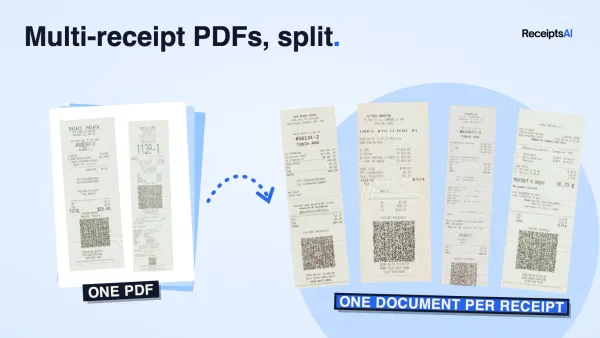
One option in this category is ReceiptsAI, which processes receipts, invoices, bank statements, PDFs, and spreadsheets, extracts structured data, and helps organize documents for bookkeeping workflows. That type of tool suits businesses that need more than invoice sending alone.
The best automation doesn't look dramatic. It simply removes the little moments where staff stop, retype, rename, search, or second-guess.
A short demo helps make the difference clearer in practice:
Payments and accounting sync need to stay connected
An invoice app becomes risky when it creates one set of records while your accounting software holds another. That's where mismatches begin. A payment gets marked in one place but not the other. Tax is calculated differently. Discounts are entered manually. Reconciliation drifts.
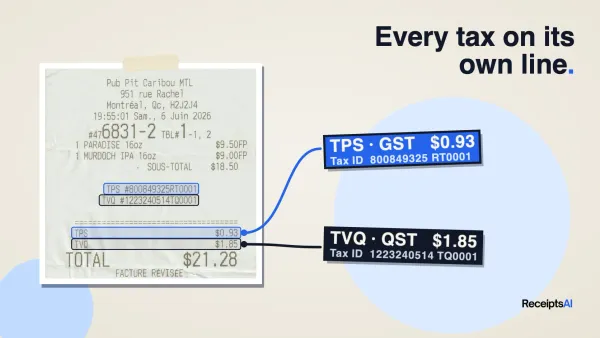
Stripe explains in its guide to invoice software for small businesses that invoicing software can automatically calculate taxes, apply discounts, handle currency conversion, and pass invoice data into accounting software. That's the practical benchmark. The app should reduce manual error by keeping billing and bookkeeping in sync.
When you're evaluating this area, ask very direct questions:
- Does payment status update cleanly
- Does the app support the payment methods your customers use
- Can invoice data move into accounting without copy-paste
- Can your team see one reliable record of amount, tax, discount, and payment state
If the answer is vague, assume the cleanup work will land on you later.
Reporting, controls, and audit readiness
Many businesses don't notice this gap until tax season, a dispute, or an accountant's year-end request. Sending invoices is easy. Retrieving support months later is where weak systems fall apart.
A capable app should help you answer basic operational questions quickly:
| Capability | Why it matters |
|---|---|
| Searchable records | You can find a document without digging through folders |
| Linked supporting files | Invoices, receipts, and statements are easier to review together |
| User permissions | Staff can work without exposing everything to everyone |
| Exportable data | Your accountant can work with clean records instead of screenshots |
A small business invoice app transitions from a billing utility to a component of your financial control system. That shift matters. It saves time, but it also makes your records easier to trust.
From Shortlist to Selection How to Test and Choose
Once you've narrowed the field, stop reading feature pages and start testing with your own documents. That's where weak apps reveal themselves quickly.
I usually suggest choosing only a small shortlist. Two or three tools is enough. More than that turns the process into research instead of decision-making. If you want a starting comparison set, this overview of invoice processing software comparison top 5 tools for 2025 can help structure the shortlist.
Build a real test kit
Don't rely on sample files provided by vendors. Use documents from your actual business, with sensitive details redacted if needed.
A practical test kit should include a mix such as:
- A clean customer invoice PDF that should import neatly
- A phone photo of a crumpled receipt that reflects real life
- A supplier invoice with multiple line items that tests extraction depth
- A bank statement PDF if document management matters to your workflow
- A duplicate file to see whether the tool catches repetition
Given the mature state of the mobile invoicing market, Bookipi highlights the ability to send a professional invoice in under a minute and accept card payments, as noted earlier from the market benchmark source. Speed is now a reasonable expectation. Your testing should look beyond speed alone and check how the app behaves when documents are imperfect.
What to score during the trial
Use a simple scorecard. Don't overcomplicate it.
First, check setup friction.
How long does it take to create your account, add branding, and produce a usable invoice? If basic setup feels clumsy, staff adoption usually suffers later.
Then test extraction and organization.
Can the tool read messy documents well enough to save work? Does it sort files logically, or do you still need a manual cleanup step after every upload?
Next, look at workflow fit.
Can you move from document capture to invoice sending to bookkeeping without changing systems three times? If not, the app may solve only one slice of the problem.
If a trial only proves the app works in perfect conditions, the trial hasn't done its job.
Finally, test retrieval.
Search for a document you uploaded earlier. Open it. Confirm whether the supporting details are easy to review. Retrieval is where many flashy apps feel thin.
A forever-free or trial plan can be helpful here because it lets you run this test without forcing a rushed commitment. The right choice isn't the app with the longest feature page. It's the one that handles your real paperwork with the least friction.
Implementing Your New App and Automating Workflows
A successful rollout doesn't start with importing everything and hoping the team adjusts. It starts with a controlled setup, clear rules, and a narrow first workflow that sticks.
Deskera's guidance in its small business invoicing article gets this right. A rollout works best as a workflow-engineering project, with requirements mapping, data standardization, system integration, staff training, KPI monitoring, and periodic review built into the process.

Rollout works better when you treat it like process design
In practice, that means resisting the urge to automate chaos. Clean the process first.
A sensible implementation sequence looks like this:
Choose one live workflow first
Start with outgoing customer invoices, or incoming supplier documents. Not both at once unless your process is already tidy.Standardize the data fields
Decide how customer names, payment terms, tax handling, categories, and file names should appear. Consistency now prevents cleanup later.Connect the accounting layer
Make sure invoices, payment states, and bookkeeping records move together as intended.Train the people who touch the documents Owners often underestimate this step. If staff don't know where to send files or how to check exceptions, the old habits return quickly.
Review after the first live cycle
Look for stuck points. Missing fields, duplicate uploads, unclear permissions, or invoices that still need manual correction.
For businesses that want to tighten collections once the basic workflow is live, this piece on accounting software for reminders is useful because reminder automation often becomes the next easy win after invoice creation is standardized.
A simple before and after example
Jane runs a small design and print business. Before adopting a new app, she created customer invoices in one system, stored supplier PDFs in email, photographed receipts on her phone, and sent everything to her accountant at month-end in a zip file. Nothing was impossible. Everything was annoying.
Her better setup didn't begin with fancy automation. It began with one rule. All incoming financial documents had to go into one intake path, and all outgoing invoices had to use one approved template.
That change created three immediate improvements:
- Invoices looked consistent and were easier to track.
- Supporting documents stopped scattering across devices and inboxes.
- Month-end review became faster because files were already organized.
The key insight is simple. Implementation fails when businesses buy software and keep their old habits. It works when the software becomes the new habit.
Beyond Invoicing A Smarter Way to Run Your Business
The strongest small business invoice app isn't just a faster billing screen. It's a decision about how your business handles financial evidence.
That matters because every invoice touches something else. A receipt supports a cost. A bank statement confirms movement. A customer payment closes a loop. If those records stay disconnected, the admin burden returns at month-end, during tax prep, or when someone asks for backup.
A smarter setup gives you more than speed. It gives you cleaner records, fewer avoidable mistakes, easier retrieval, and a workflow that doesn't depend on memory. That's what future-proofs the business. Not because the software is trendy, but because the paperwork stops bouncing between disconnected tools.
If you're choosing your first serious invoicing system, think bigger than billing. Choose for the business you'll be running after the next busy season, not the one you're barely holding together today.
If you want to test a system that goes beyond invoice sending, ReceiptsAI is built for small businesses and bookkeepers who need invoices, receipts, bank statements, PDFs, and other financial documents organized into one searchable workflow. It's a practical place to start if your goal is cleaner bookkeeping, less manual entry, and records that stay audit-ready.